
Last updated: 2026-02-12
Clone Database & Table
Quickly duplicate databases and tables for testing, development, or archiving. Clone with or without data, and choose which objects and constraints to include.
Clone Database
Create a copy of a database as a new database on the same or another connection (same engine only).
Clone a Database
- Right-click the database in Object Explorer
- Select Clone Database...
- Enter a name for the new database
- Select clone options
- Click Clone
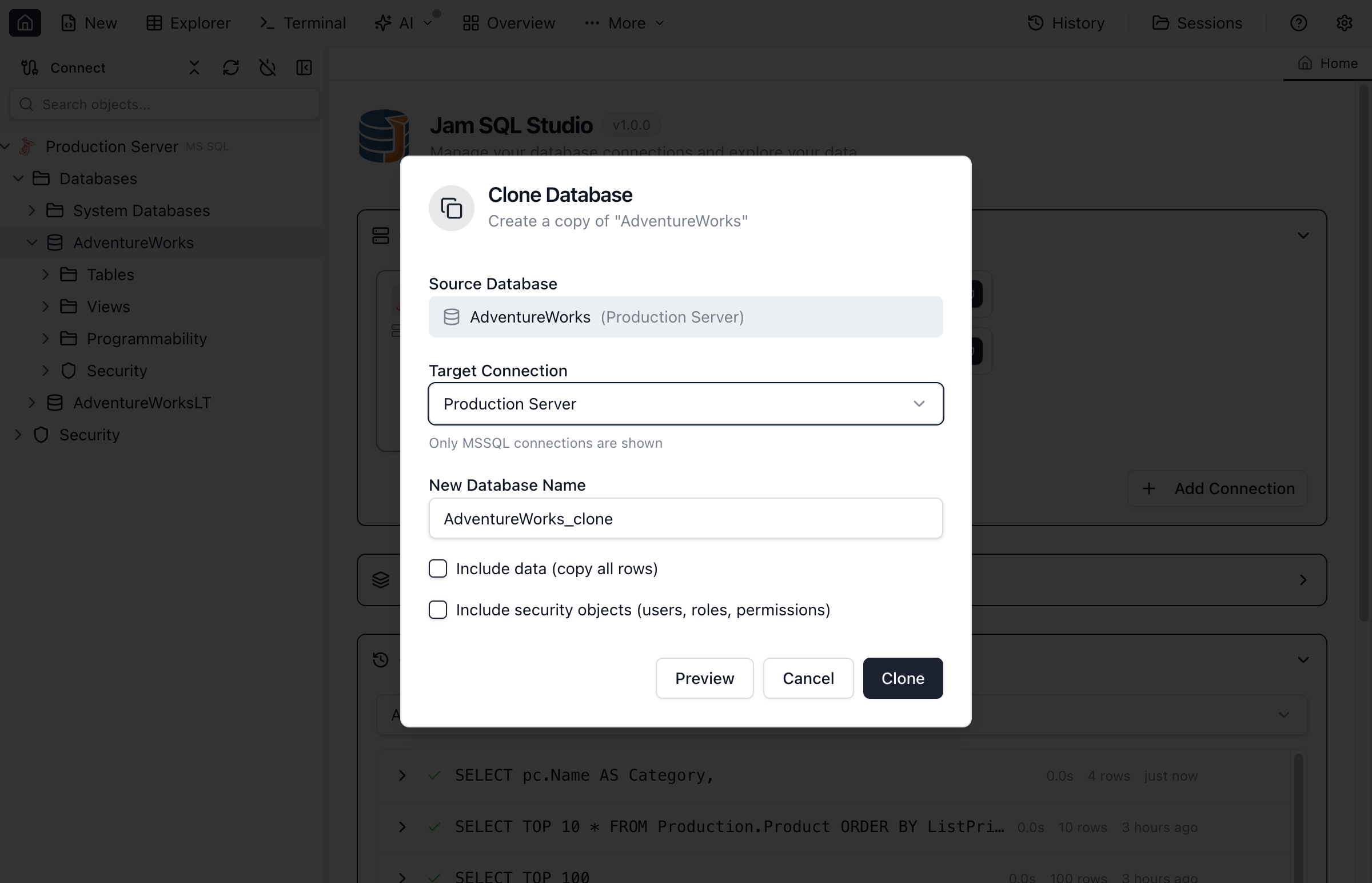
Database Clone Options
| Option | Description |
|---|---|
| Target Connection | Destination connection (only same-engine connections are shown) |
| New Database Name | Name for the cloned database (must be unique on the target) |
| Include Data | Copy all table data along with schema (PostgreSQL/MySQL). SQL Server cloning uses a BACPAC (schema+data) flow, so schema-only clone isn’t available. |
| Include Security Objects | Copy database users, roles, and permissions (SQL Server only) |
Requirements
- PostgreSQL requires
pg_dumpandpg_restoreinstalled on the same machine where Jam SQL Studio is running (your computer). If tools are missing, the clone error dialog includes a How to fix button with install steps. If you installed the tools but Jam SQL Studio still can’t find them, configure the bin directory in Settings → Advanced → PostgreSQL Tools. - MySQL/MariaDB requires
mysqldumpandmysqlinstalled on the same machine where Jam SQL Studio is running (your computer). If tools are missing, the clone error dialog includes a How to fix button with install steps. After installing, make sure the tools are on yourPATHand restart Jam SQL Studio. - SQLite: Clone Database is not shown for SQLite connections. To duplicate a SQLite database, copy the
.db/.sqlitefile.
What Gets Cloned
A database clone includes:
- Tables - All tables with columns and data types
- Views - All view definitions
- Stored Procedures - All procedure code
- Functions - Scalar and table-valued functions
- Indexes - Primary keys, unique constraints, non-clustered indexes
- Foreign Keys - All relationship constraints
- Triggers - Table and database triggers
- Data (optional) - All table rows
Clone Table
Duplicate a single table within the same database or to a different database.
Clone a Table
- Right-click the table in Object Explorer
- Select Clone Table
- Enter a name for the new table
- Select the target database (same or different)
- Choose what to include
- Click Clone
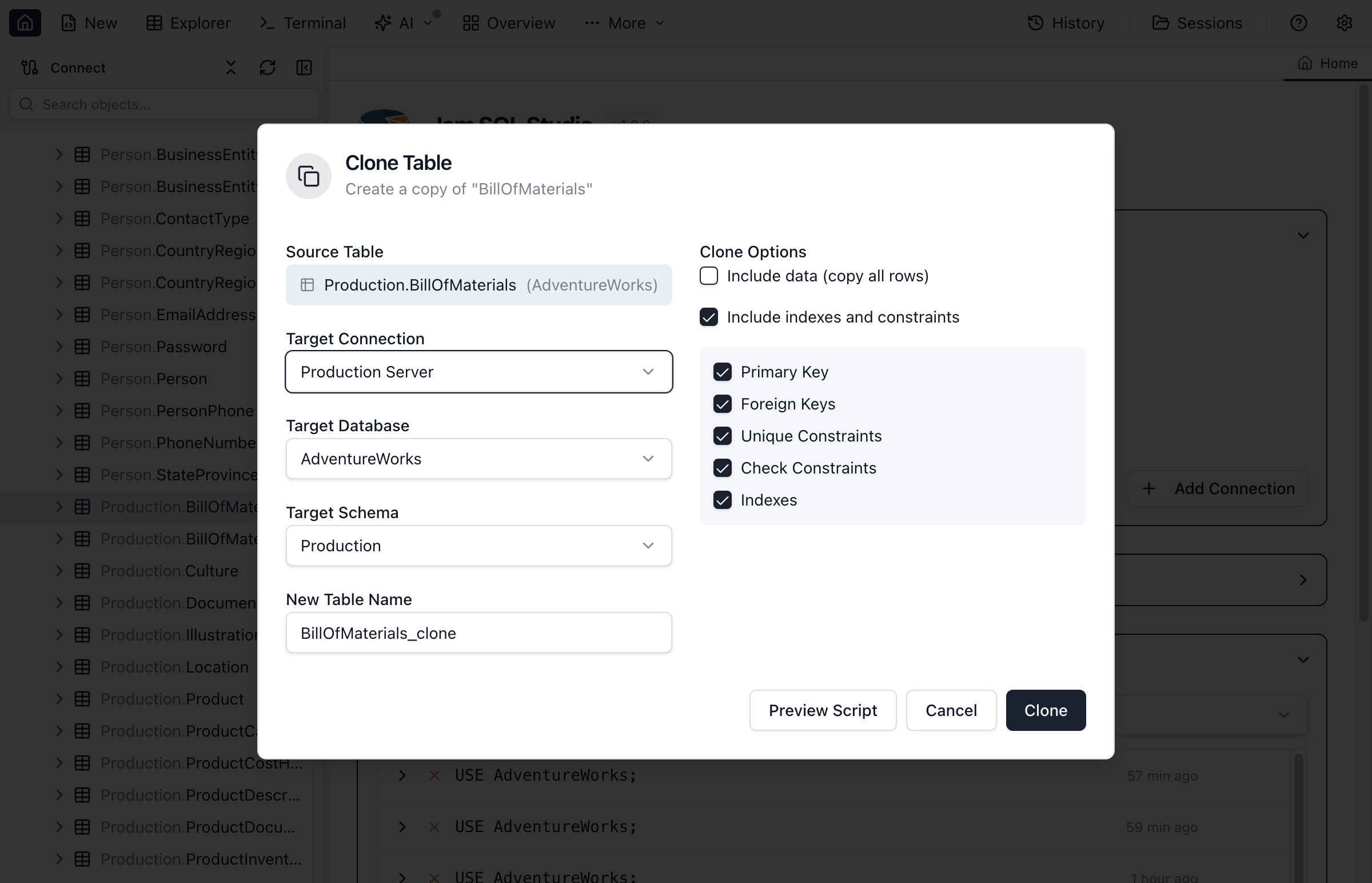
Table Clone Options
| Option | Description |
|---|---|
| Target Name | Name for the cloned table |
| Target Database | Same database or choose a different one |
| Include Data | Copy all rows (can be slow for large tables) |
| Include Indexes | Recreate all indexes on the new table |
| Include Foreign Keys | Recreate FK constraints (requires referenced tables to exist) |
| Include Triggers | Copy table triggers |
| Include Identity | Preserve identity column settings |
Clone Progress
Monitor the clone operation as it runs.
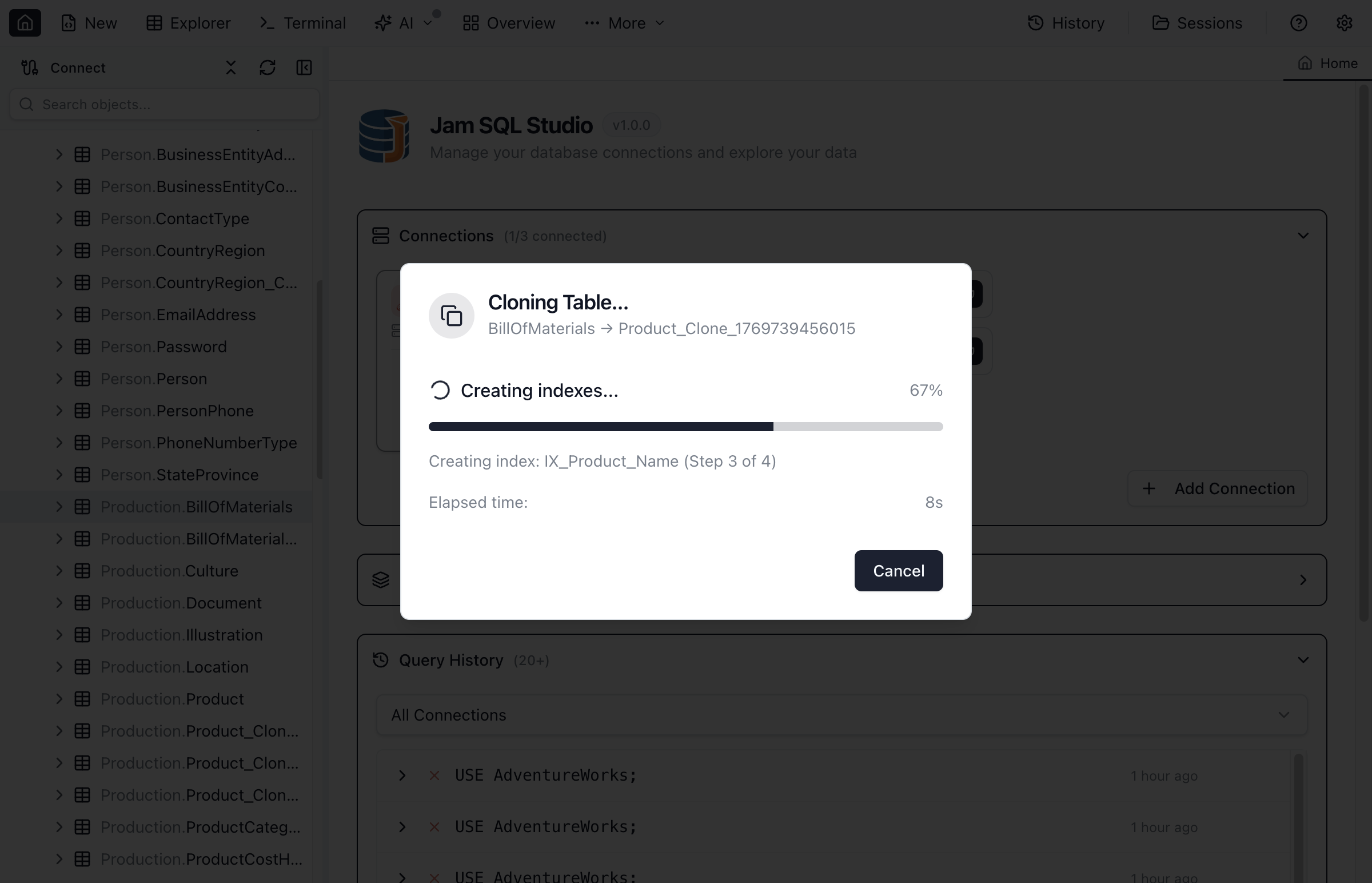
The progress dialog shows:
- Current step - Which object is being copied
- Overall progress - Percentage complete
- Object counts - Tables, views, procedures cloned
- Data progress - Rows copied (when including data)
- Explorer refresh - Object Explorer refreshes after a successful clone so the new database appears
Use Cases
Development Environment
Clone production schema to create development databases:
- Clone database with Schema Only option
- Populate with test data separately
- Developers get matching schema without production data
Testing Before Changes
Clone before making schema modifications:
- Clone the database including data
- Apply changes to the clone
- Test thoroughly before applying to original
Table Archiving
Clone tables before cleanup or migration:
- Clone table with data to create archive copy
- Rename with date suffix (e.g.,
Orders_Archive_2024) - Proceed with original table modifications
Quick Backup
Clone for a fast same-server backup:
- Clone database with full data
- Faster than backup/restore for testing scenarios
- Delete clone when no longer needed
Limitations
- Same engine only - Clone works between connections of the same engine (e.g., PostgreSQL → PostgreSQL). Cross-engine cloning is not supported.
- Server resources - Cloning large databases requires sufficient disk space and may impact server performance.
- Personal mode limits - In Personal mode, cloning with data is limited to databases ≤ 1 GB and tables ≤ 100,000 rows. Schema-only clone availability depends on the engine.
- Linked servers - Objects referencing linked servers may not work in the clone.
- Foreign keys to other databases - Cross-database FKs cannot be cloned.
Ready to Clone Your Database?
Download Jam SQL Studio and create database copies for testing.