
Last updated: 2026-02-12
Scripting Objects
Generate DDL scripts from database objects with Jam SQL Studio. Script tables, views, stored procedures, functions, and Oracle-specific objects (packages, sequences, synonyms, DB links, materialized views) as CREATE, ALTER, DROP, or EXECUTE statements.
Script as CREATE
Generate complete object definitions as CREATE statements. This is useful for version control, documentation, or recreating objects in another database.
Scripting a Table
- Expand the database in Object Explorer
- Navigate to Tables and find your table
- Right-click the table and select Script as → CREATE To
- Choose New Query Window or Clipboard
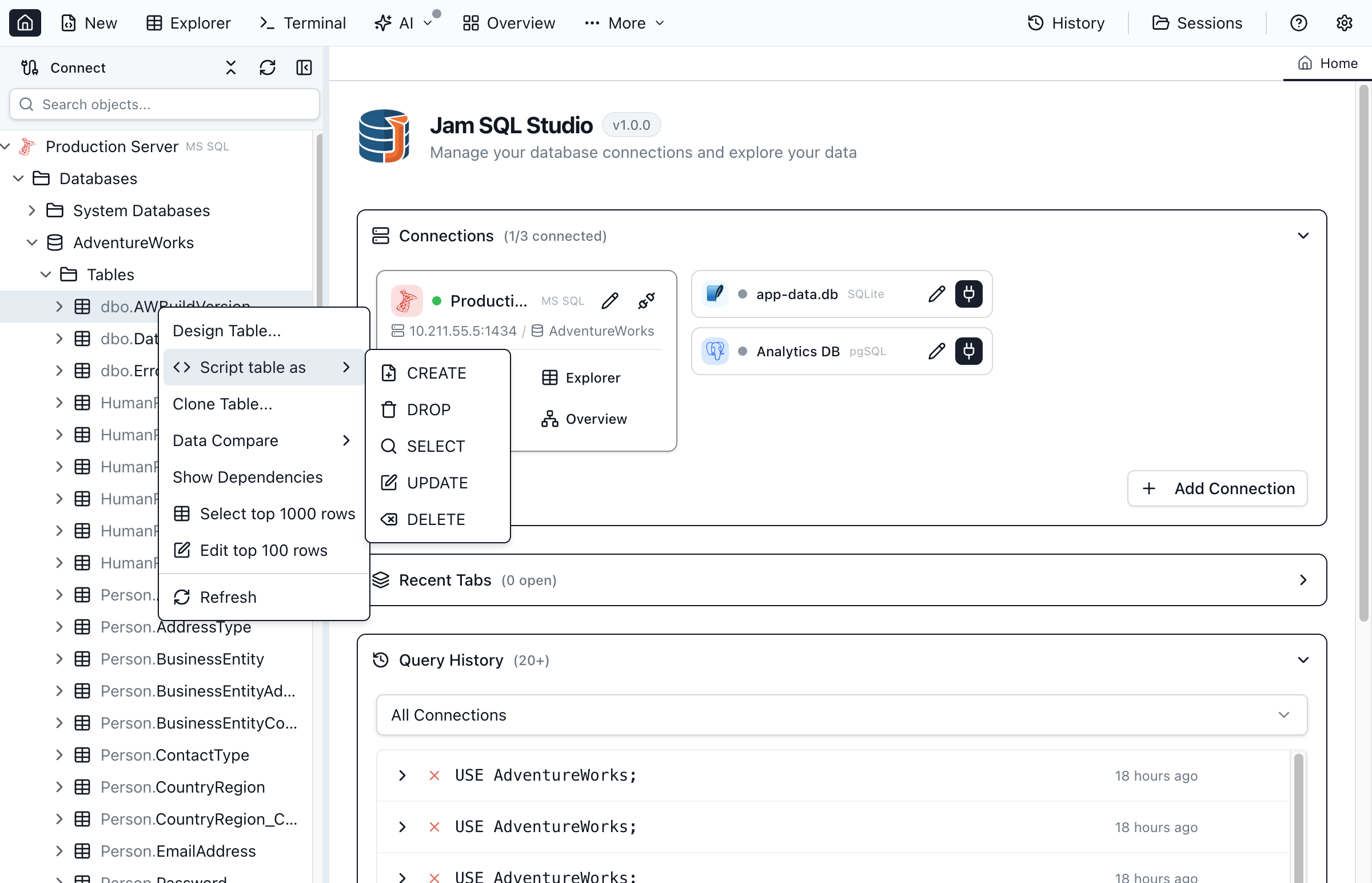
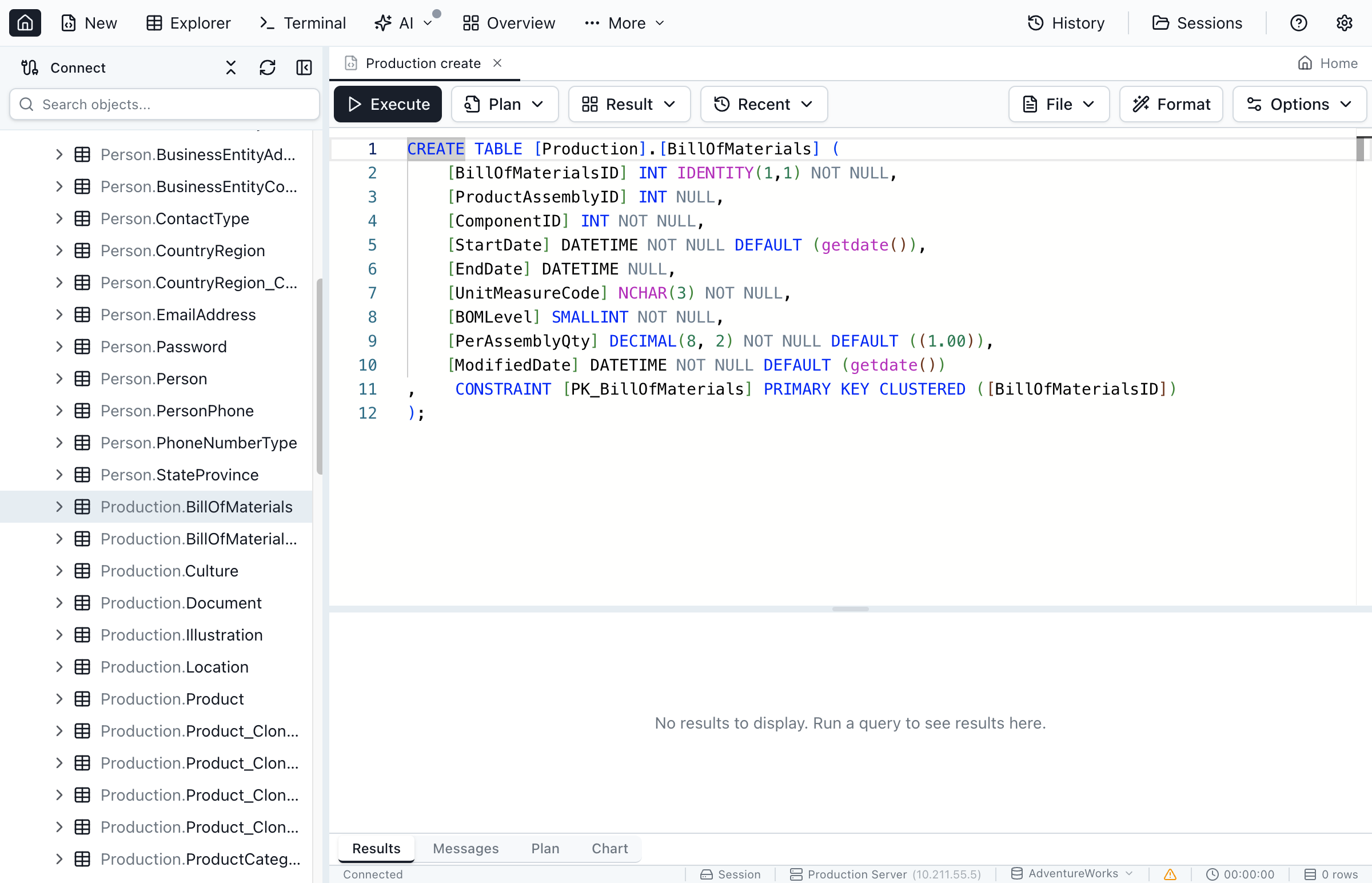
The generated CREATE TABLE script includes:
- Column definitions - Name, data type, nullability, default values
- Primary key constraint - Including clustered/nonclustered specification
- Foreign key constraints - With referenced table and column
- Unique constraints - On single or multiple columns
- Check constraints - Business rule validations
- Indexes - Including index type and columns
- Identity specification - Seed and increment values
Scripting Views
Right-click a view and select Script as → CREATE To. The script includes:
- View definition with SELECT statement
- SCHEMABINDING option if specified
- WITH CHECK OPTION if present
Scripting Stored Procedures
Right-click a stored procedure and select Script as → CREATE To. The script includes:
- Full procedure definition
- All parameters with data types and defaults
- EXECUTE AS specification if set
- WITH options (RECOMPILE, ENCRYPTION, etc.)
Scripting Functions
Right-click a function (scalar, table-valued, or aggregate) and select Script as → CREATE To:
- Scalar functions - RETURNS clause with data type
- Table-valued functions - RETURNS TABLE definition
- Inline table-valued - Single SELECT statement
Supported Object Types
| Object Type | CREATE Script Includes |
|---|---|
| Tables | Columns, constraints, indexes, triggers |
| Views | SELECT definition, options |
| Stored Procedures | Parameters, body, options |
| Functions | Parameters, return type, body |
| Triggers | Trigger event, timing, body |
| Indexes | Index type, columns, options |
| Types | User-defined type definition |
Script as ALTER
Generate ALTER statements to modify existing objects. This is useful when you want to update an object definition without dropping and recreating it.
ALTER for Programmable Objects
ALTER scripts are available for:
- Views - Modify the SELECT definition
- Stored Procedures - Update procedure logic
- Functions - Change function implementation
- Triggers - Modify trigger behavior
To script as ALTER:
- Right-click the object in Object Explorer
- Select Script as → ALTER To
- Choose New Query Window or Clipboard
ALTER Limitations
Some objects cannot be altered directly and must be dropped and recreated:
- Tables - Use Table Designer for column changes, or script DROP/CREATE for major modifications
- Indexes - Most index properties require DROP and CREATE
- Constraints - Must be dropped and added with new definitions
Script as DROP
Generate DROP statements to remove objects from the database.
Basic DROP Scripts
To script an object as DROP:
- Right-click the object in Object Explorer
- Select Script as → DROP To
- Choose New Query Window or Clipboard
DROP IF EXISTS
Jam SQL Studio generates safe DROP scripts that include IF EXISTS checks:
-- SQL Server 2016+
DROP TABLE IF EXISTS [dbo].[Customers];

-- Older SQL Server versions
IF OBJECT_ID(N'[dbo].[Customers]', N'U') IS NOT NULL
    DROP TABLE [dbo].[Customers];
GO
Dependency Handling
When dropping objects with dependencies, consider the order:
- Views depending on tables must be dropped first
- Foreign keys must be dropped before the referenced table
- Procedures calling other procedures may need specific order
Execute Templates
Generate ready-to-use execution templates for stored procedures and functions with parameter placeholders.
Stored Procedure EXEC Template
Right-click a stored procedure and select Script as → EXECUTE To:
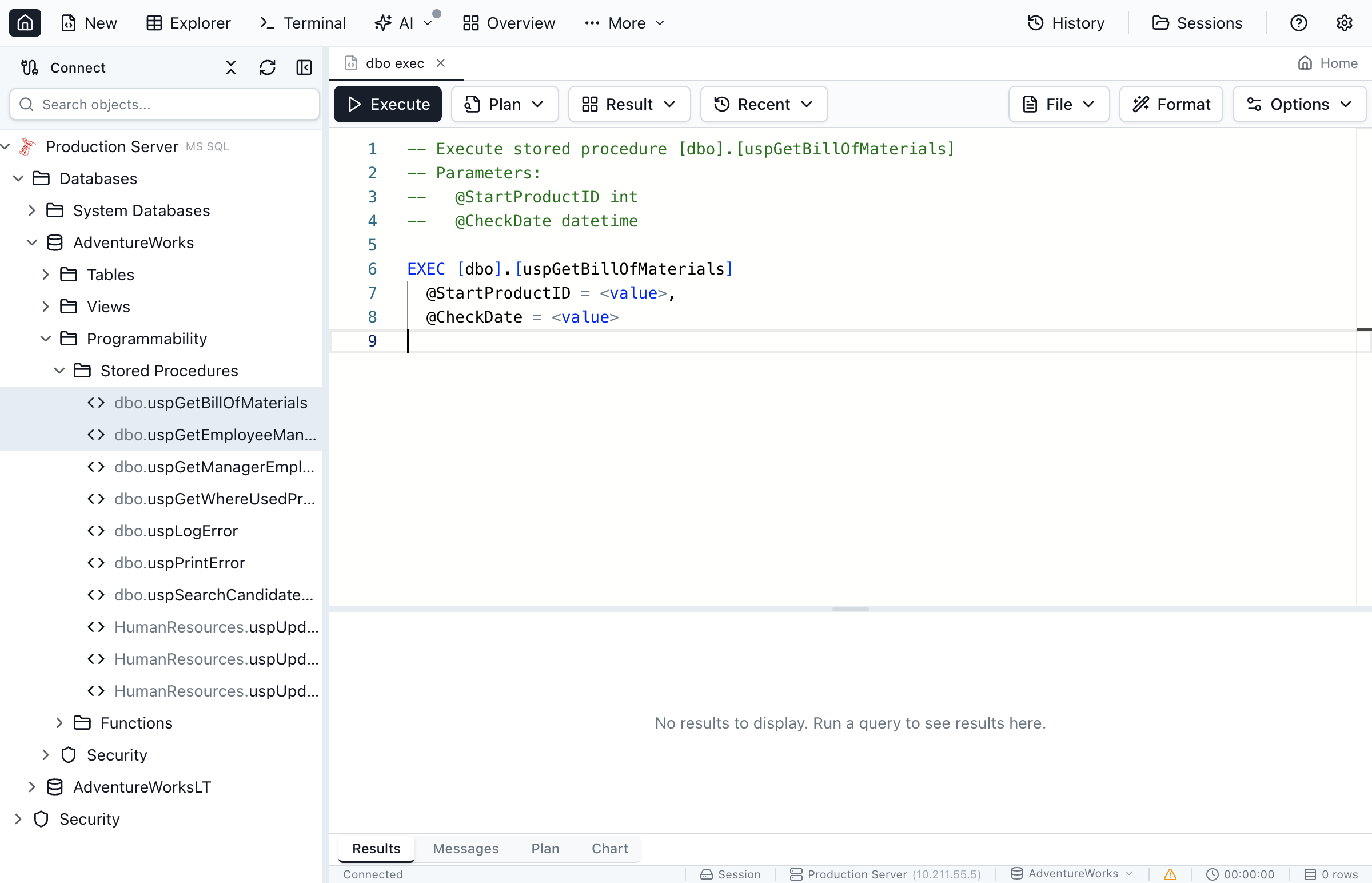
The generated template includes:
- EXECUTE statement with schema-qualified procedure name
- All parameters with their data types as comments
- Default values shown where applicable
- OUTPUT parameters marked appropriately
Example generated template:
DECLARE @ReturnValue INT;
DECLARE @OutputParam VARCHAR(100);

EXEC @ReturnValue = [dbo].[GetCustomerOrders]
    @CustomerID = NULL,        -- INT
    @StartDate = NULL,         -- DATETIME = GETDATE()
    @EndDate = NULL,           -- DATETIME
    @OrderStatus = @OutputParam OUTPUT;  -- VARCHAR(100) OUTPUT

SELECT @ReturnValue AS ReturnValue,
       @OutputParam AS OutputParam;
Function Call Template
For functions, the template varies by function type:
| Function Type | Generated Template |
|---|---|
| Scalar Function | SELECT dbo.FunctionName(param1, param2) |
| Table-Valued Function | SELECT * FROM dbo.FunctionName(param1, param2) |
| Aggregate Function | SELECT dbo.AggFunc(column) FROM table GROUP BY ... |
Script Options
Jam SQL Studio provides several options to customize generated scripts.
Script Destination
| Destination | Description |
|---|---|
| New Query Window | Opens a new query tab with the script ready to execute or modify |
| Clipboard | Copies the script to the system clipboard for pasting elsewhere |
| File | Saves the script directly to a .sql file (available in some contexts) |
Scripting Multiple Objects
To script multiple objects at once:
- Hold Ctrl (or Cmd on Mac) and click to select multiple objects
- Right-click and select Script as
- All selected objects are scripted together
Objects are scripted in dependency order when possible, so tables referenced by foreign keys appear before the tables that reference them.
Database-Level Scripting
To script database-level statements:
- Right-click the database in Object Explorer
- Select Script Database As
- Choose CREATE, DROP, or USE
postgres) and run the DROP script from there.Keyboard Shortcuts
| Action | macOS | Windows/Linux |
|---|---|---|
| Script as CREATE to New Query | Cmd + Shift + C | Ctrl + Shift + C |
| Script as ALTER to New Query | Cmd + Shift + A | Ctrl + Shift + A |
| Script as DROP to New Query | Cmd + Shift + D | Ctrl + Shift + D |
Oracle-Specific Scripting
Oracle databases include object types not found in SQL Server or PostgreSQL. Jam SQL Studio generates engine-aware scripts for all Oracle objects.
Oracle Object Types
| Object Type | Script as CREATE Includes |
|---|---|
| Packages | Package specification and package body as separate scripts |
| Sequences | START WITH, INCREMENT BY, MINVALUE, MAXVALUE, CACHE, CYCLE options |
| Synonyms | Public and private synonym definitions with referenced object |
| DB Links | Database link definition (credentials are masked for security) |
| Materialized Views | Query definition, refresh method, and build mode |
| Types | User-defined type specification and body |
| Directories | Directory path and grants |
CREATE OR REPLACE for packages, procedures, functions, views, and types. Jam SQL Studio generates this syntax automatically, so you can re-run scripts without dropping the object first.Best Practices
Version Control
- Script objects to files and commit to source control
- Use consistent naming conventions for script files
- Include schema prefix in object names for clarity
- Add comments with change history at the top of scripts
Deployment Scripts
- Always include IF EXISTS/IF NOT EXISTS checks
- Test scripts in development before production
- Consider using transactions for atomic deployments
- Script objects in dependency order
Documentation
- Use scripted objects as documentation for the database structure
- Generate scripts before making major changes as a backup
- Combine with Schema Compare for change tracking
Generate DDL Scripts
Download Jam SQL Studio and script your database objects with ease.