 Jam SQL Studio
 Published: 2026-08-13
Schema & Data Compare: What Changed in 1.4.18
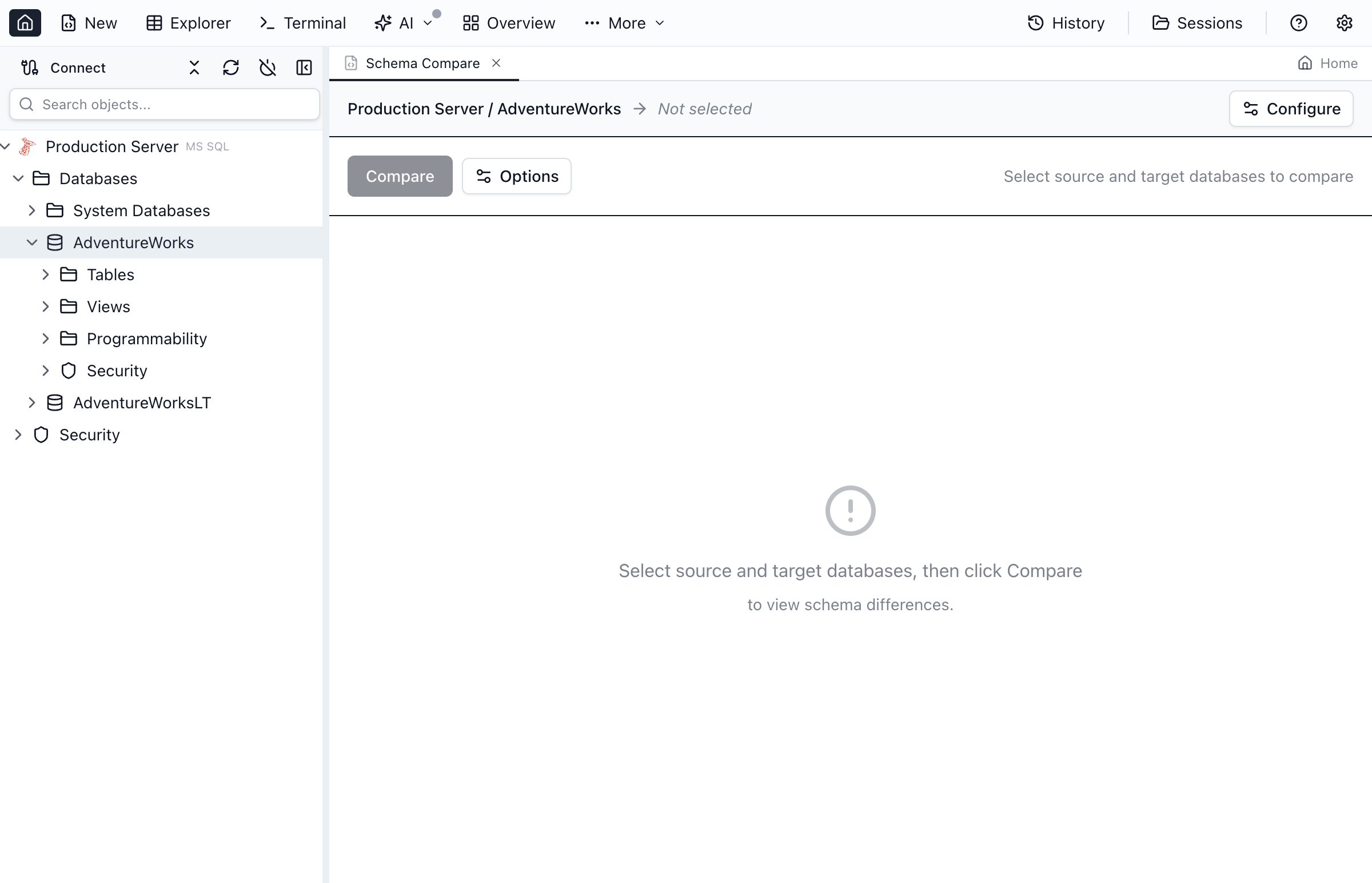
Comparing two databases is only useful if you can trust the answer. Jam SQL Studio 1.4.18 is a large release for Schema Compare and Data Compare: comparisons are much faster, the generated scripts are safer and more often runnable as-is, and — the theme running through the whole release — the comparison now tells you what it didn't compare instead of quietly calling that "identical". Here's the tour, in plain English.
Roughly 20x faster on SQL Server
A large SQL Server comparison used to spend most of its time on round trips: one query per view, one per routine, one per sequence. Definitions are now fetched in bulk — 301 routines cost 2 round trips per side instead of 301 — and sequences are read in a fixed couple of catalog queries per side however many there are.
The effect on a ~900-object database in our benchmark: about a minute before, under three seconds now. Sequences also became comparable on SQL Server and PostgreSQL, not just Oracle.
Choose how deep to compare
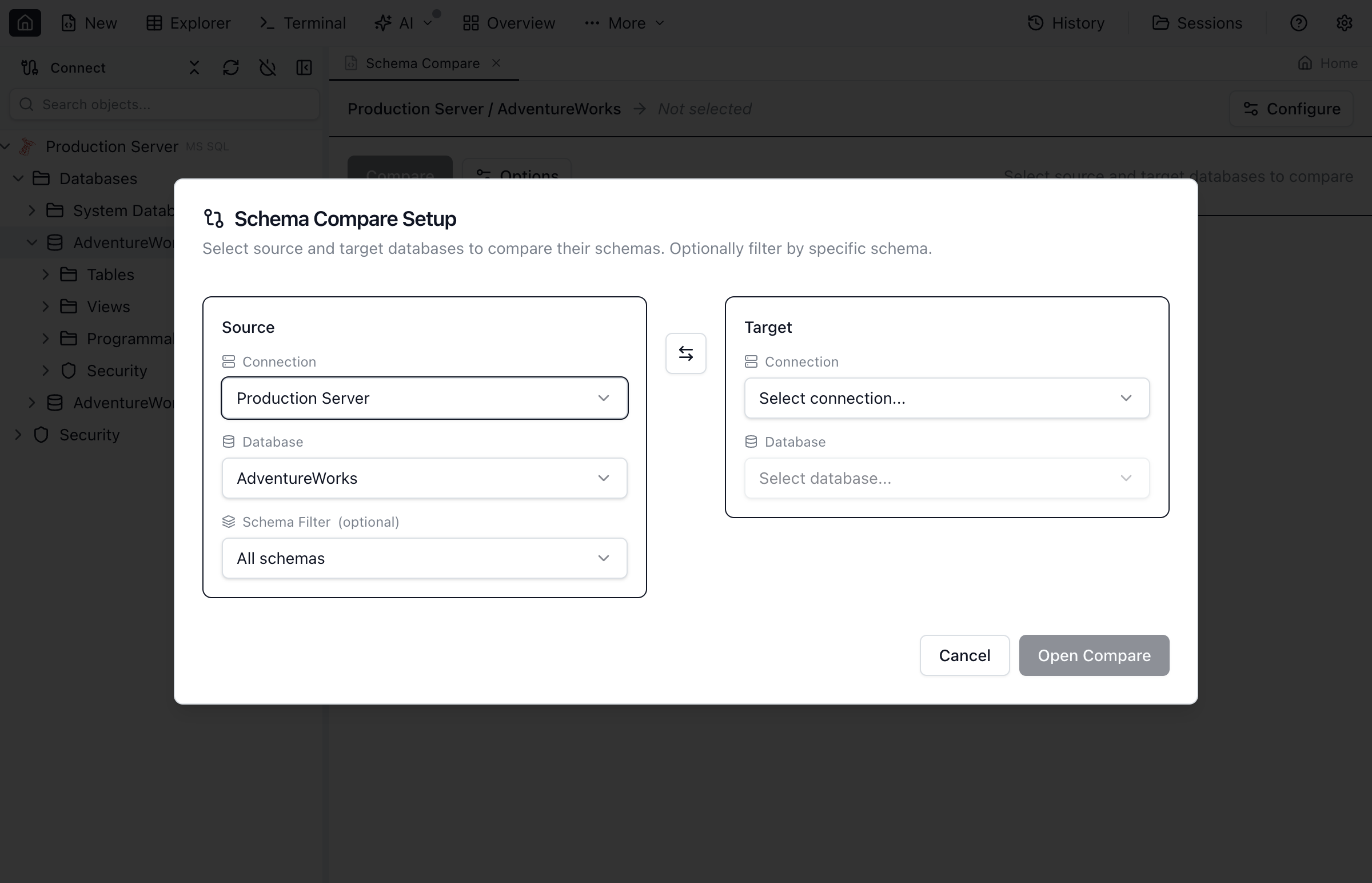
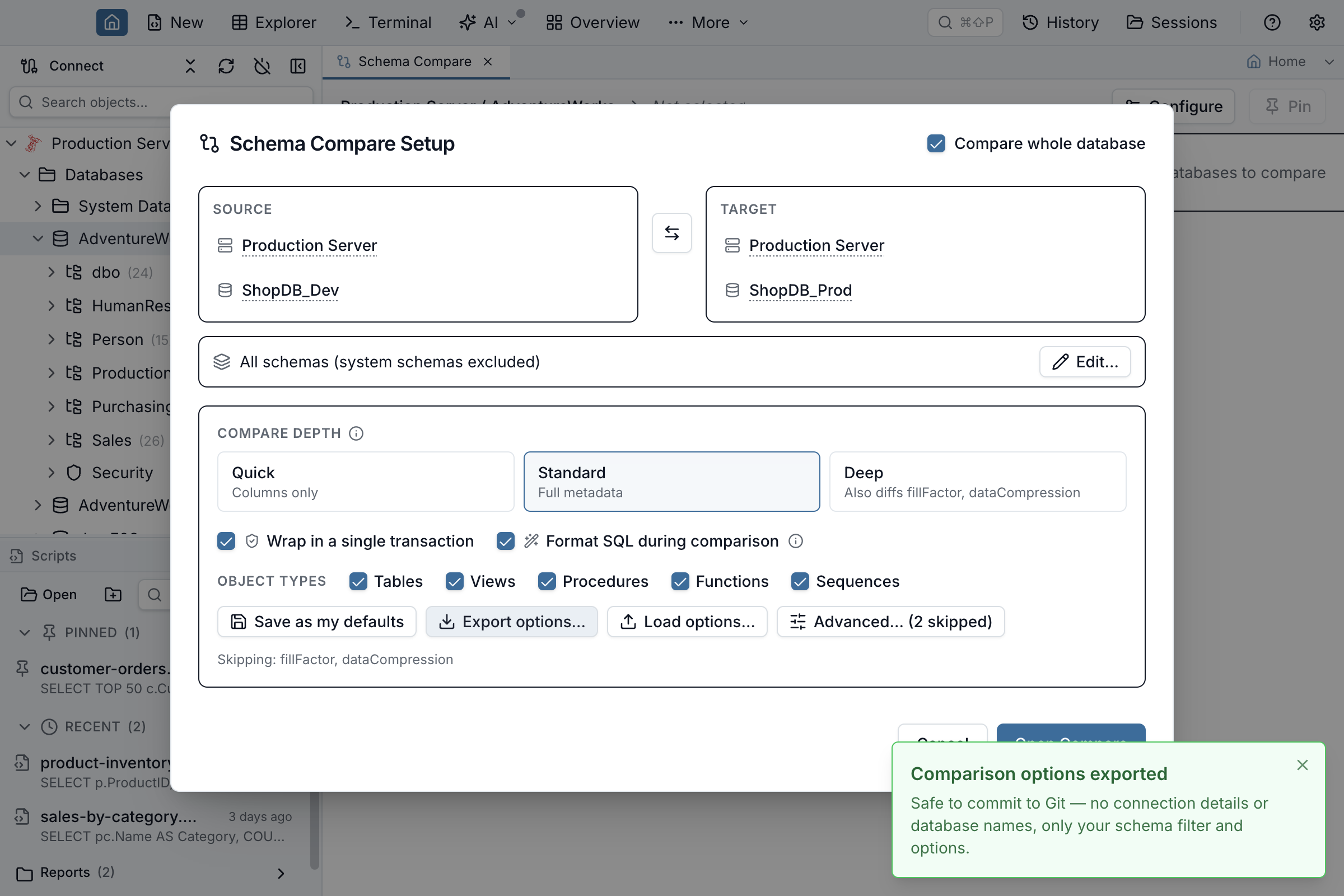
Not every comparison needs the same thoroughness, so the Setup dialog now has a Compare depth selector with three presets:
- Quick — columns only. The fastest option on a very large schema.
- Standard (the default) — the full per-table fetch, with volatile storage properties like
fillfactorand data compression pre-ignored so they don't bury real differences. - Deep — the same fetch as Standard, but nothing is pre-ignored.
Each card carries a one-line summary; hover it for the full description, which names the exact properties for the engine you're comparing. Whatever you settle on can be saved as your default for that engine, and a later ad-hoc comparison no longer silently overwrites it. Changing an option after a comparison re-evaluates the scan you already have instead of re-reading both databases.
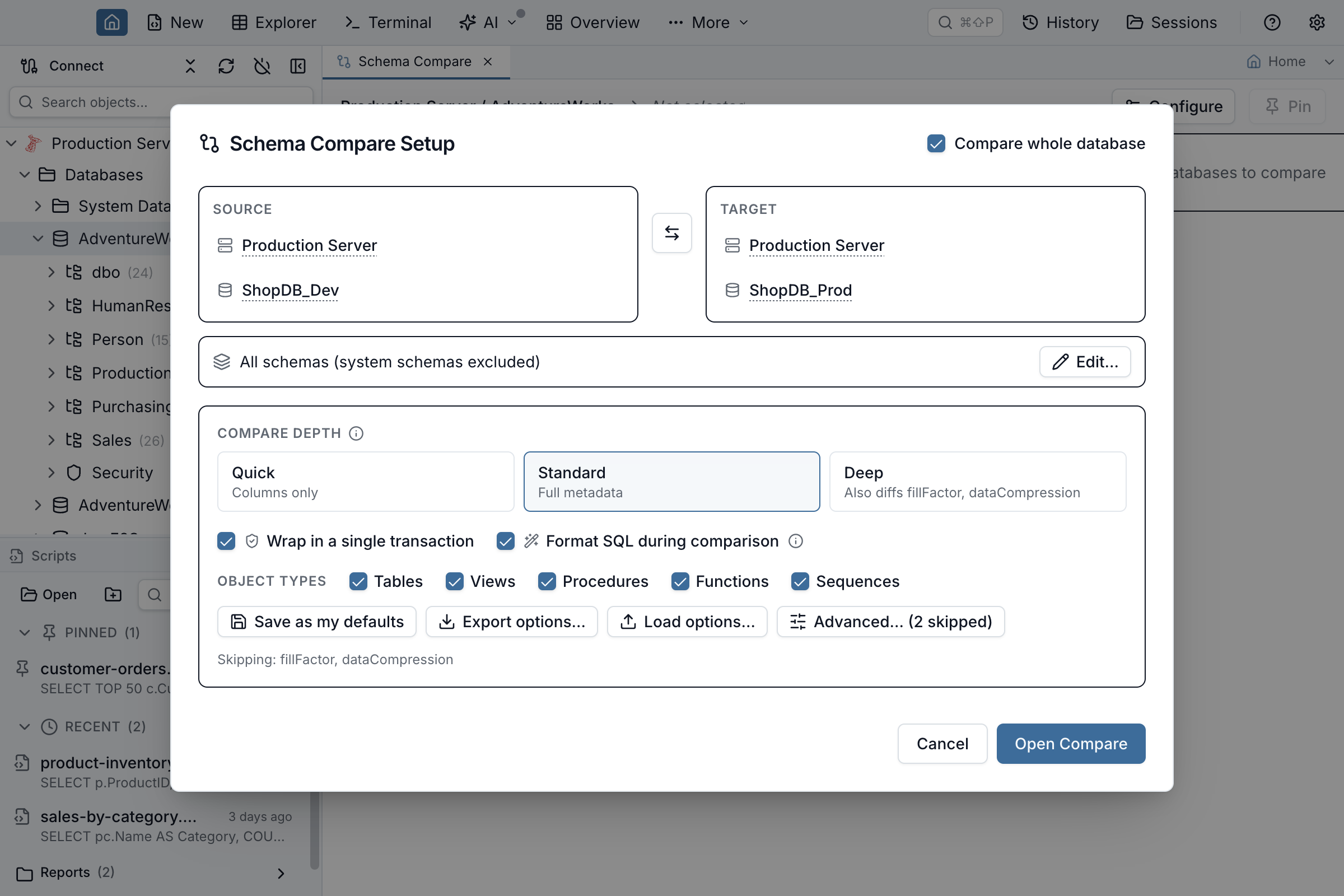
There's also an Ignore this property action on the diff itself: if a property is noise for your comparison, drop it from the results without opening settings, and a summary line keeps count of everything currently skipped.
Quick depth now admits what it skipped
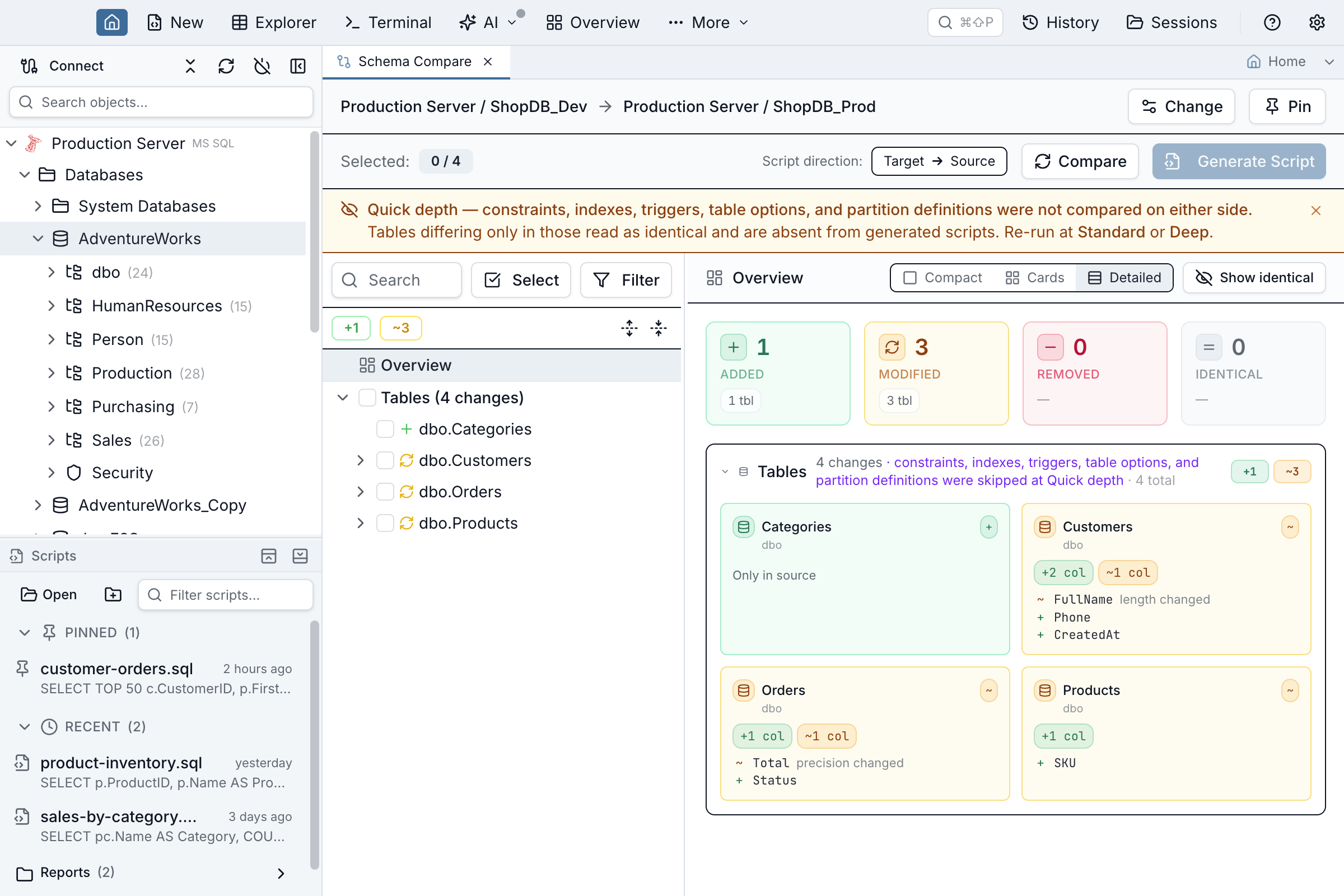
This was the sharpest edge in the old behaviour. A Quick comparison reads columns only — so two databases differing only in a constraint, an index, a trigger, a table option or a partition looked identical. Technically true of what it read; badly misleading as an answer.
Now a Quick comparison never reports a clean match. Before you run it, the options name the classes Quick will not fetch. On the results, an amber strip names the classes that run actually skipped, the Overview says "No differences in what was compared" rather than "Schemas are identical", and the Tables section carries the same note beside its change count.
…and so does a login that can't see everything
The same principle applies to permissions, where the failure mode was worse: an object your login can't see looks deleted, and a sync script would happily DROP it.
- A restricted login's object listing is now flagged as possibly incomplete on SQL Server, Oracle and MySQL. Where the server can count what it hid (SQL Server, Oracle), those DROP statements are withheld and named until you choose to include them.
- Objects whose definitions the login isn't allowed to read are reported as unreadable instead of being silently compared as identical — and on SQL Server, missing
VIEW DEFINITIONrights are flagged before the scan even starts. - A script that would drop every object on the side it modifies now withholds those DROPs until you confirm the count — and says when the other side simply returned an empty catalog, which is exactly what a login denied
VIEW DEFINITIONlooks like. - Comparing a single object, or a filtered set of schemas, now narrows both sides. The rest of the target database is no longer listed, swept up by Select All, or dropped by the script.
Scripts that run all the way, or not at all
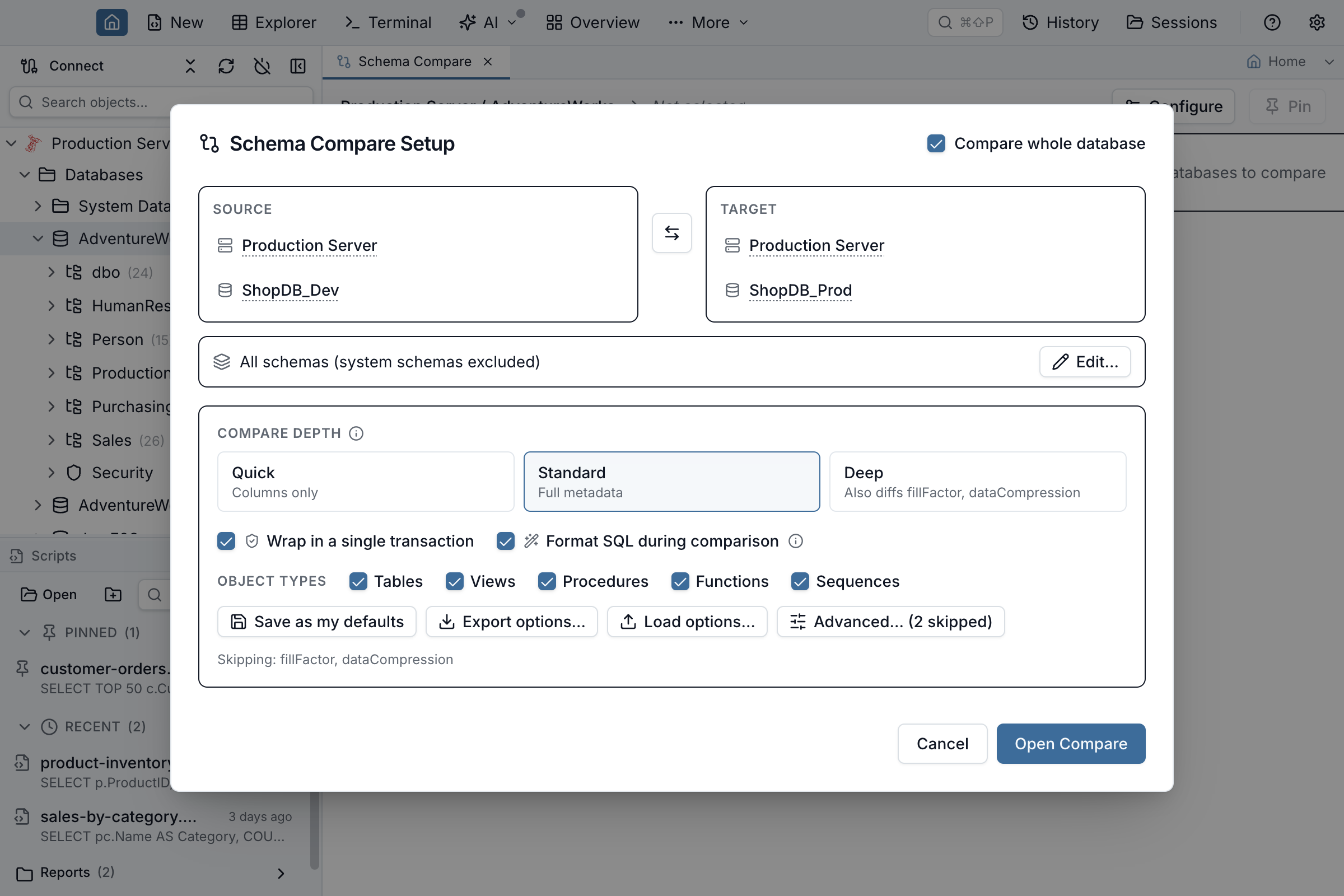
Sync scripts are now wrapped in a single transaction, on by default on SQL Server and PostgreSQL. A failure part-way through rolls the whole thing back instead of leaving the target half-migrated. Untick the option to let a very large sync commit as it goes; the choice is remembered and travels in a shared settings file.
Because atomicity genuinely differs by engine, every generated script states in its own header what a mid-script failure leaves behind on that engine — including the awkward truth that on MySQL, Oracle and SQLite the client running the script has a say in the outcome.
SQL Server scripts you can actually run
A long run of correctness work went into the generated SQL Server script:
- Views and routines are created in dependency order, and a partially applied script can be run again.
- Changing the default on more than one column works. It used to stop dead with "The variable name '@df_name' has already been declared" and apply none of them.
- A collation difference produces a real
ALTER COLUMN, andCREATE OR ALTERis gated on the target server's version. - An object Jam can't rebuild is never dropped — and a routine it can't script no longer leaves live SQL under its "Cannot generate" marker, which previously wrote that marker into the target and made every later comparison report the same objects as changed.
- A change that would silently round every stored value —
decimal(10,4)todecimal(10,2),datetime2(7)todatetime2(3),timestamp(6)totimestamp(3)on PostgreSQL and MySQL — is marked as data loss and asks for confirmation. Widening a column still runs without a prompt. - When a script has to drop and re-create a view or routine (an older SQL Server target, or a MySQL routine), a
[REVIEW]line says the object's GRANT and DENY permissions go with the DROP and are not restored.
Script exactly the change you want
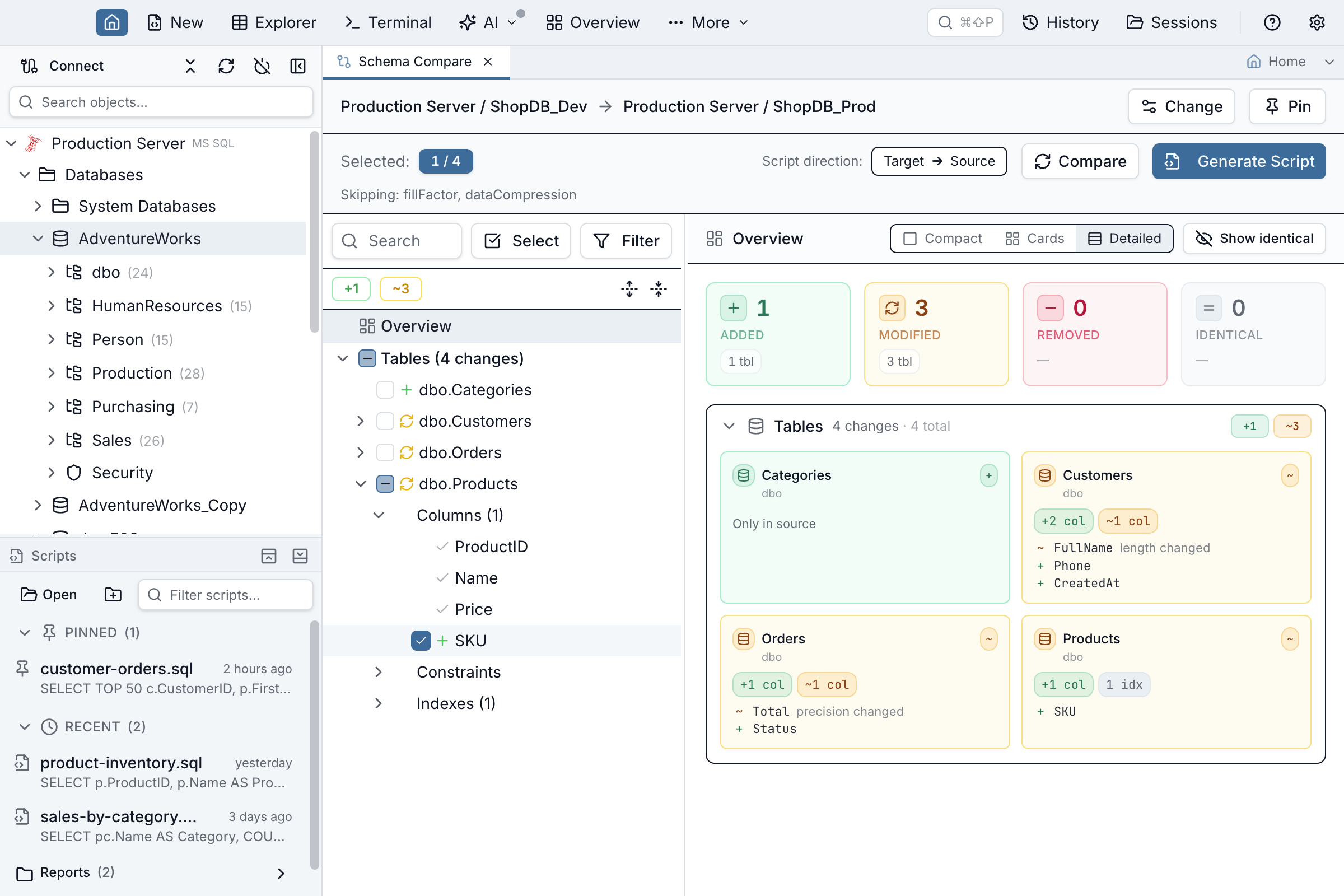
A modified table used to be all-or-nothing. Now its columns, constraints and indexes each have their own checkbox, so you can script one added column without the DROP COLUMN that happened to sit next to it in the same table.
Fewer differences that aren't differences
Objects that mean the same thing now compare as identical:
- Identifier quoting —
[dbo].[Format]versusdbo.Format. - Redundant parentheses in a column default —
((0))versus(0). - The owner or database name Oracle and MySQL write into a view or trigger definition themselves — which used to report every shared view as modified.
A changed name, body, comment, string literal or default value is still reported, as it should be. Alongside that: SQLite indexes are now read and compared (two SQLite databases differing only in an index are no longer "identical"), a generated column change on MySQL or PostgreSQL keeps the column's collation instead of resetting it to the table default, and comparing across databases — two MySQL databases, two Oracle schemas, or a MySQL/Oracle source against a SQL Server or PostgreSQL target — matches objects instead of reporting every one as both added and removed. Every statement the script builds, including the database name MySQL bakes into a view body, is addressed to the target, so a synced view reads the target's own tables.
Data Compare: insert the row instead of overwriting it
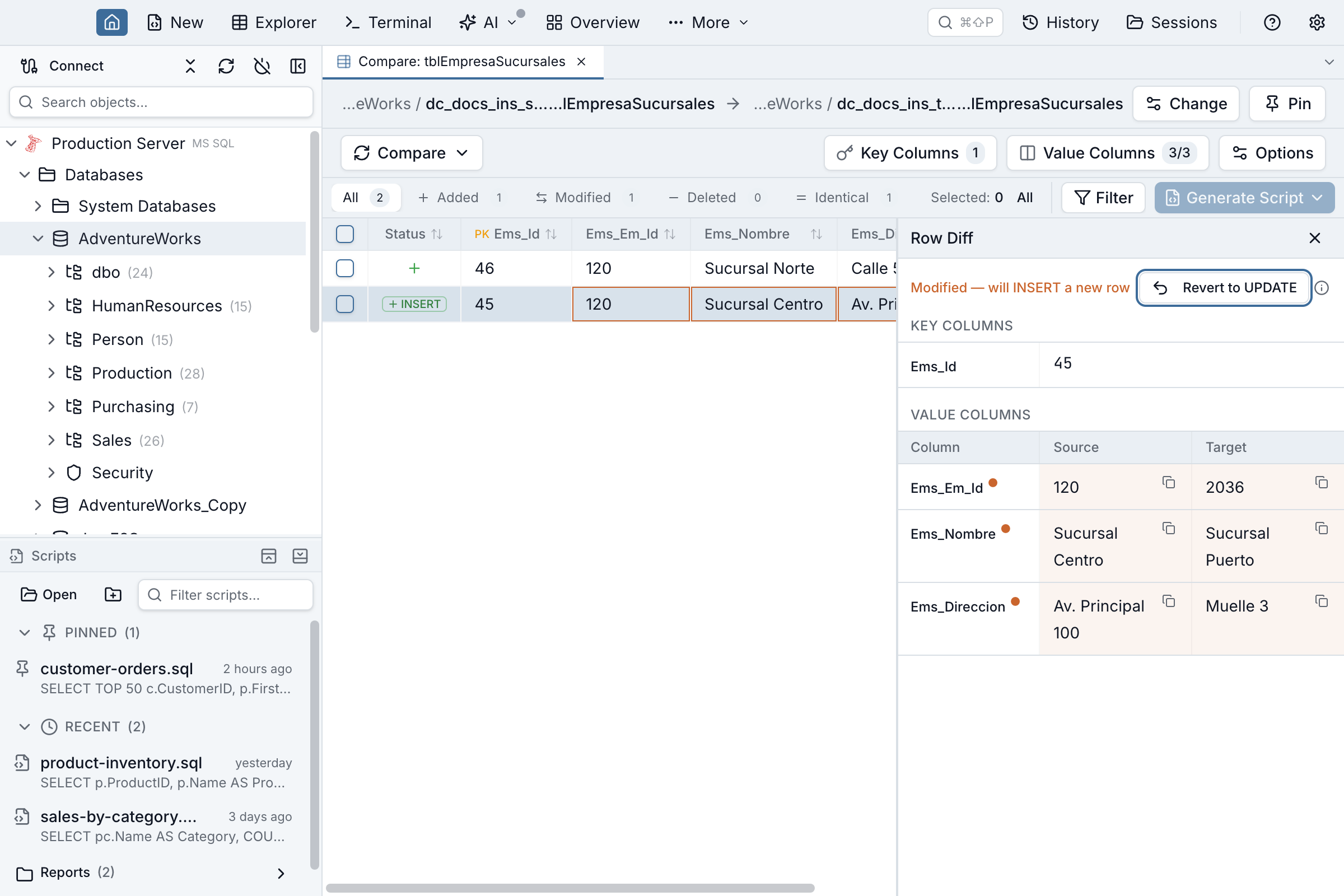
Here's a scenario that used to quietly destroy data. Two environments both use an auto-generated key. Row 45 exists on each side — but it's a different record on each. Matching on the key makes them look like one modified row, and the sync script writes an UPDATE over a target record that has nothing to do with the source.
Select the row, open the Row Diff panel, and choose Apply as INSERT (new row). That row is scripted as a fresh INSERT with the key column omitted, so the target assigns its own; the matched target row is left byte-for-byte untouched, and the results grid marks the row with a green +INSERT badge you can click to revert. If the target's key isn't auto-generated the action is disabled with the reason — an INSERT would just collide with the row it matched.
Your per-row choices survive a re-run of the same comparison, and are cleared when you point the tab at different tables or change the key mapping — because a key means a different row then. The docs cover the two things worth knowing before you use it: child rows referencing the old key are not remapped (the script says so), and a target whose identity sequence lags behind its data will reject the INSERT rather than put the row in the wrong place.
Data Compare, day to day
- Sync scripts are atomic on SQL Server. A script that fails part-way no longer commits half the changes, and every script's header states what a mid-script failure leaves behind on that engine.
- Range filters compare numerically, not as text.
betweenworks and is labelled "between (inclusive)", and a column can carry more than one condition, so an actual range is expressible. - The Row Diff panel is readable. Long column names no longer paint over their values, a long value no longer pushes the Target column out of sight, and the expand toggle is a labelled button beside Copy instead of a stray
>in front of your data. - You can see which databases you're comparing. Source and target get a full-width row of their own, and long database names truncate from the left instead of collapsing into two near-identical ellipses.
- No ghost rows. Filtering no longer leaves a scroll tail past the real match count, and pointing a tab at different tables clears its stale filters and row selection instead of risking a script against the wrong rows.
- Your view survives a restart — the results filter and sorting come back with the tab.
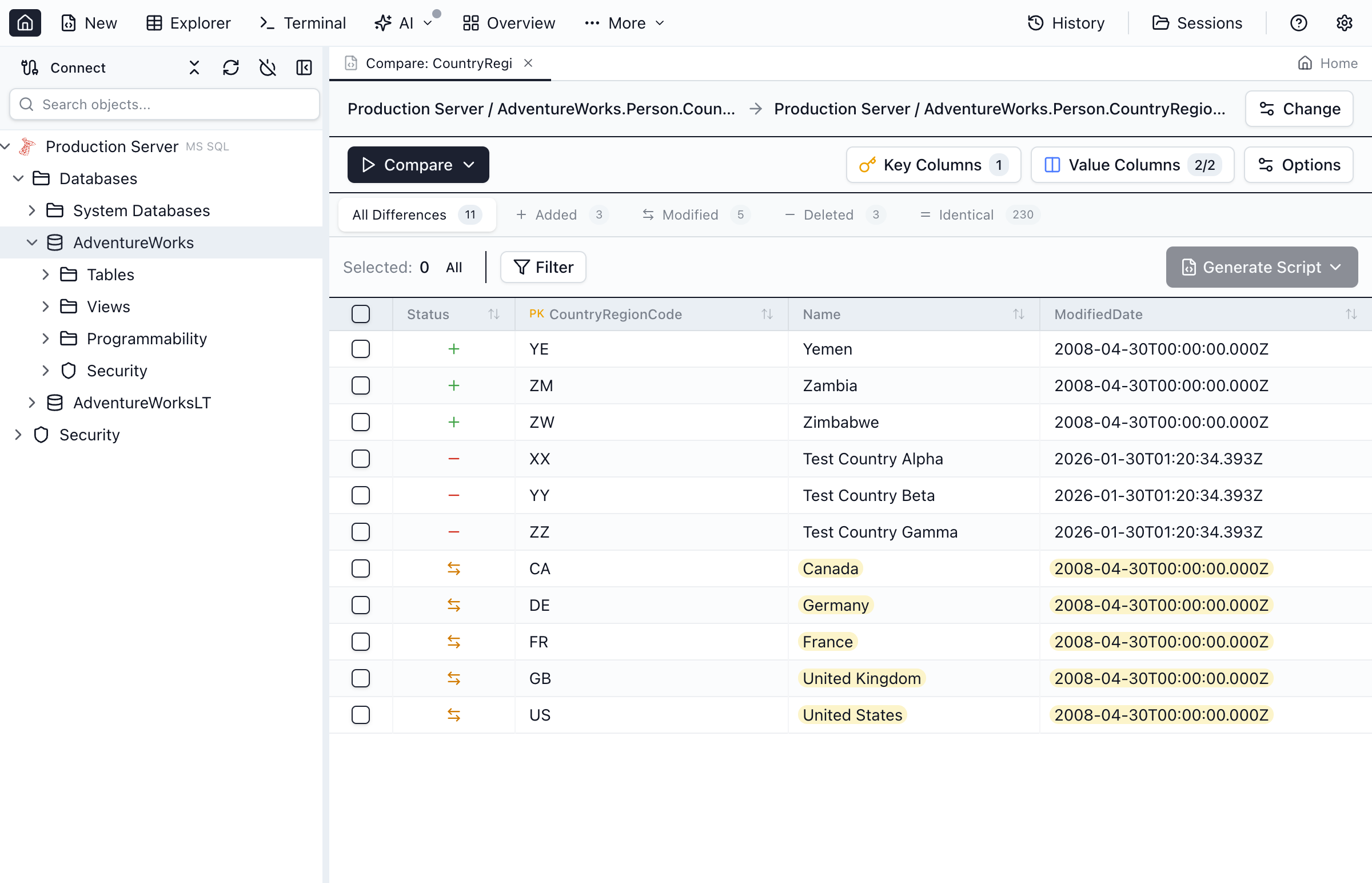
If you are still choosing a tool rather than tuning one, the two-table comparison with three planted differences is more use than a feature grid — the seed SQL is on the page, so you can watch a tool find differences you put there yourself.
Share how your team compares
A comparison's settings can be exported to a versioned file and committed to your repository, so everyone runs the comparison the same way. The file carries your schema filter and comparison options and never connection details, credentials or database names — sharing how you compare doesn't mean sharing access to anything.
Recently compared: the setup you had five minutes ago
Setting up a comparison is the boring part, and you usually do it again tomorrow. Both tools now keep a "Recently compared" list of your last 20 comparisons at the top of the setup dialog. Pick an entry and everything comes back: both connections, both databases (or both tables, in Data Compare), the comparison options, and the schema filter.
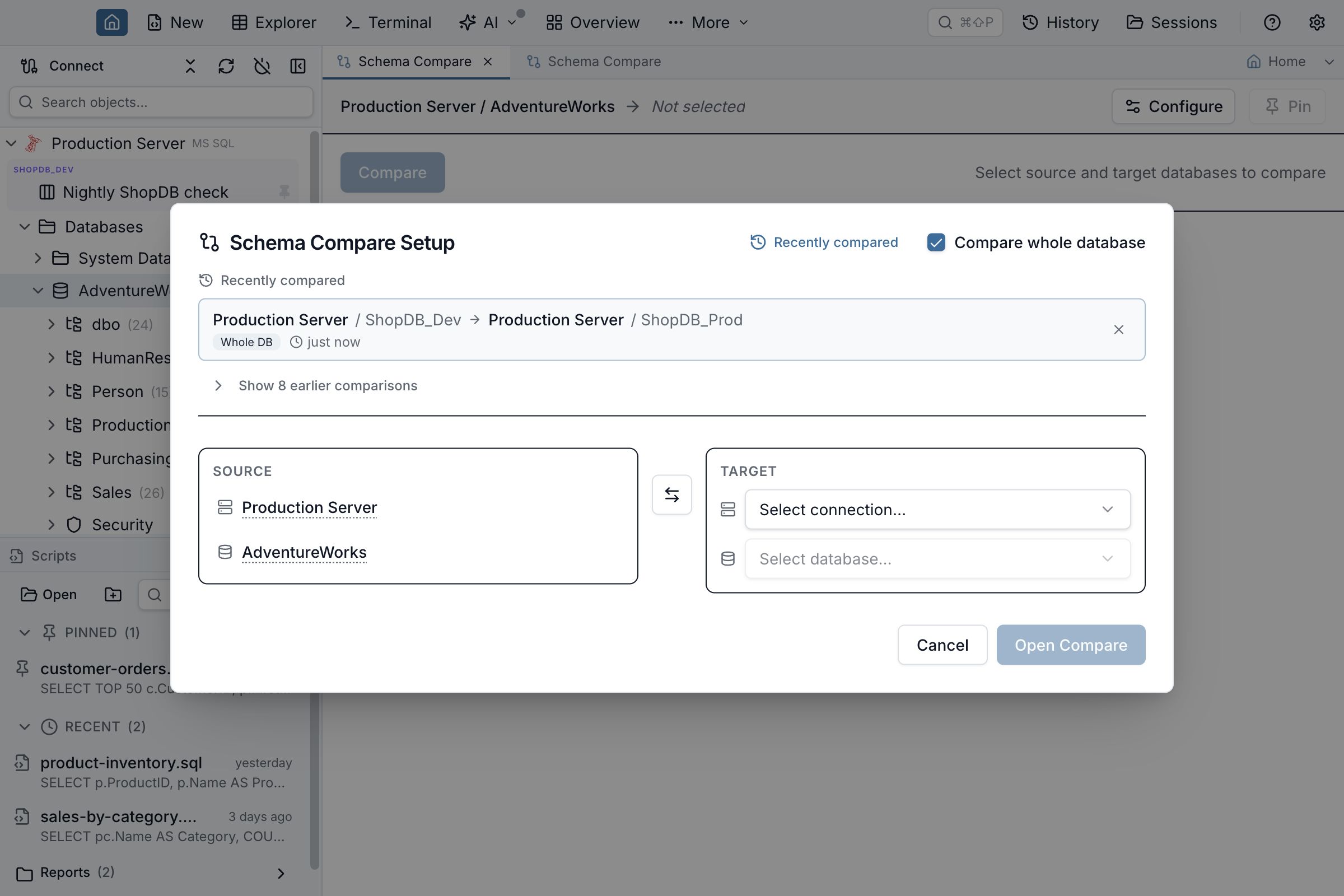
Each entry names both endpoints, badges whether it was a whole-database or single-object comparison, and says when you last ran it. The list is searchable, the older entries fold behind a "Show N earlier comparisons" disclosure, and you can delete an entry you don't want offered again. Once you pick a connection the whole list collapses into a link in the dialog header, so it helps when you want it and gets out of the way when you don't.
Two things it deliberately does not do: it never stores credentials (it points at connections you already have — if one is gone, the entry says so instead of half-restoring), and picking an entry configures the comparison without running it. You get the setup back, then decide.
Pin the comparisons you run again and again
Recents are automatic and eventually roll off. A pin is the deliberate version: the comparison you run before every release, kept for good. Click Pin on the comparison tab's header — it's there from the moment the tab opens, so you can pin a comparison you've configured but never run, which is rather the point — or right-click the tab and choose Pin to Object Explorer.
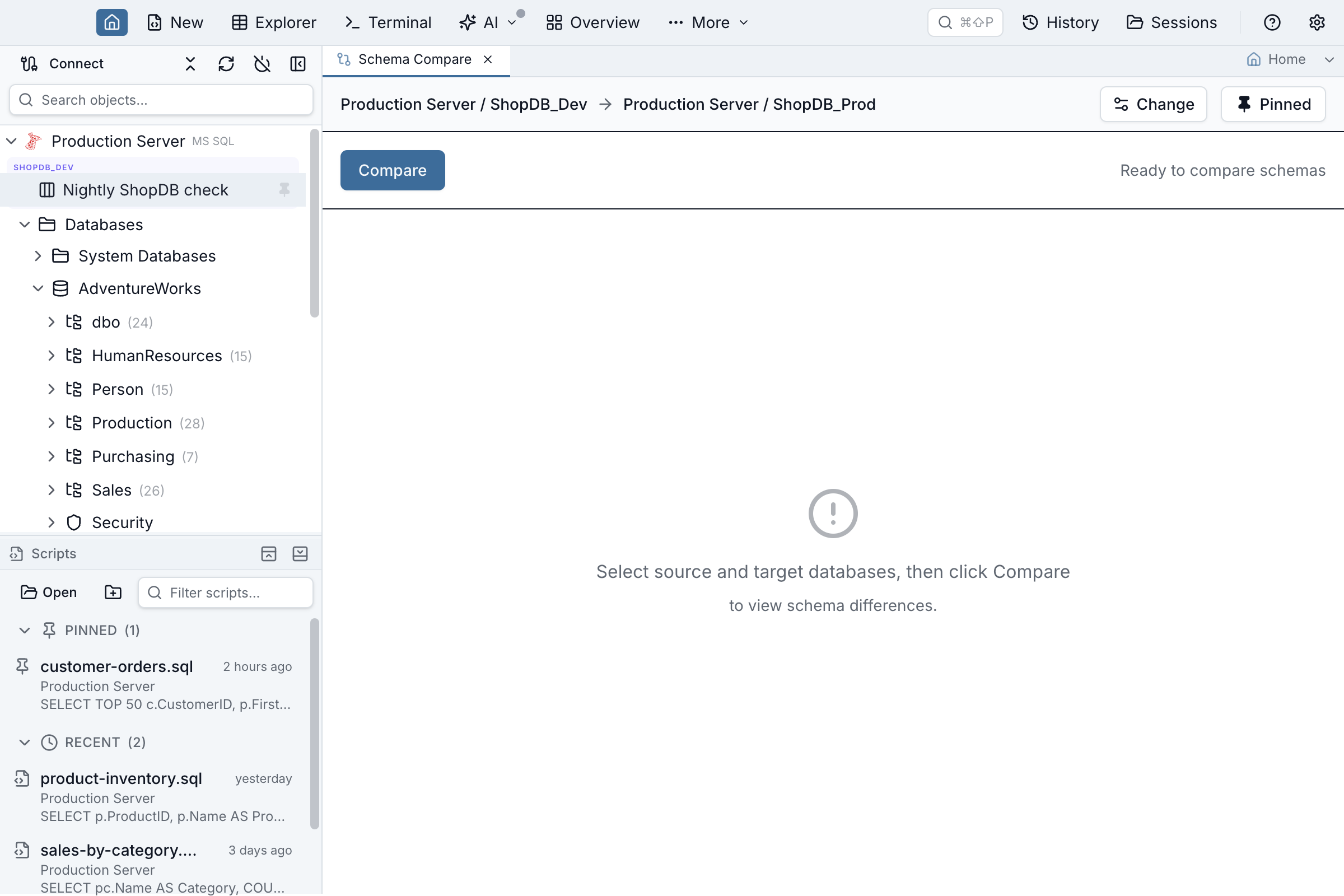
The pin lands in the Object Explorer under the source connection, beside your pinned tables and saved queries — a comparison spans two connections, and filing it under the source keeps it somewhere predictable. Double-click it (or select and press Enter) to reopen the comparison configured but idle; click Compare when you're ready. If the target isn't connected, the setup still opens and the usual banner offers to reconnect.
Renaming the pin is how you name the profile. There's no separate profiles manager to learn: right-click the pinned row, choose Rename, and call it Nightly prod check or Release 4.2 gate — that name is what you'll scan the tree for next week. Right-click also offers Update from the open tab and Unpin, and pins survive restarts.
A pin stores a setup, never results or a row selection — so reopening one can't carry yesterday's differences, or a stale selection, into today's Generate Script.
Fewer dead ends
- A failed comparison says why — which endpoint, which step, and the database's own error text.
- Cancel really cancels, including the pre-compare object count, and progress says which side and which scope is being scanned.
- Listings don't hang silently. Database and table lists show an error with Retry (SQL Server listings are bounded at 30 seconds), and a table or view picker that failed to load says so instead of showing a quietly incomplete list.
- A restored comparison whose database the server no longer lists shows that database and explains why it isn't in the list, instead of leaving the field blank.
- Comparing two tables in the same database (with "Compare whole database" unchecked) no longer blocks with an identical-databases error.
- AI agents over MCP get the same protection as the UI: generating a sync script without naming objects no longer auto-includes DROPs for objects that exist only on the target. The withheld objects are reported back so the agent can ask you first.
Where to start
If you only change one thing after upgrading: open the Setup dialog and set your compare depth default for the engine you use most. Standard is the right answer for almost everyone, and it's what you get out of the box — but if you've been running Quick comparisons on a large schema, the new disclosure will tell you what those runs were never looking at.
Full details in the Schema Compare and Data Compare guides, and the complete list is in the 1.4.18 changelog.
Frequently asked questions
Does a schema sync script roll back if one statement fails?
On SQL Server and PostgreSQL, yes — sync scripts are wrapped in a single transaction by default, so a run-time failure part-way through rolls the whole script back instead of leaving the target half-migrated. You can untick "Wrap in a single transaction" to let a very large sync commit as it goes. Every generated script states in its own header which atomicity you are getting on that engine, including the cases (MySQL, Oracle, SQLite) where the client running the script decides the outcome.
What is compare depth in Jam SQL Studio?
Compare depth chooses how much per-table metadata is fetched and diffed. Quick reads columns only — fast on very large schemas, but it never reports a clean match because constraints, indexes, triggers, table options and partitions were never read. Standard, the default, fetches everything and pre-ignores volatile storage properties such as fillfactor and data compression. Deep fetches the same as Standard but pre-ignores nothing, so those volatile properties count as differences too.
Can I share my comparison settings with my team?
Yes. Export a comparison's settings to a versioned file you can commit to your repository. The file carries your schema filter and comparison options — never connection details, credentials or database names — so the whole team compares the same way without sharing access to anything.
Why does Data Compare offer to insert a row instead of updating it?
When both environments use an auto-generated key (SQL Server IDENTITY, PostgreSQL identity/serial, MySQL AUTO_INCREMENT, an Oracle identity column), the same key value often belongs to a different record on each side. Matching on that key makes them look like one modified row, and the default script would overwrite the target record. Apply as INSERT (new row) scripts that row as a fresh INSERT with the key omitted, so the target assigns its own — and the matched target row is left untouched.