 Jam SQL Studio
 Azure Data Explorer (Kusto) GUI
for Mac, Windows & Linux
Jam SQL Studio is a standalone desktop KQL IDE: connect to ADX clusters and App Insights / Log Analytics proxies, write KQL with schema-aware IntelliSense, chart | render results, and keep your SQL databases in the same app.
Free for personal use • No account required • Mac, Windows, Linux
Kusto.Explorer Is Windows-Only. Jam SQL Studio Runs Everywhere.
Microsoft's standalone Kusto.Explorer requires Windows, and Azure Data Studio has been retired. Jam SQL Studio gives Mac and Linux users a standalone desktop KQL client — and Windows users everything in one app.
macOS
Apple Silicon & Intel builds. Works on macOS 11+.
Windows
Full Windows support with installer.
Linux
.deb, .rpm, and Arch packages for major distros.
Jam SQL Studio vs Kusto.Explorer vs ADX Web UI vs VS Code Extension
How the ways to query Azure Data Explorer compare.
| Feature | Jam SQL Studio | Kusto.Explorer | ADX Web UI | Kusto Explorer for VS Code | Azure Data Studio |
|---|---|---|---|---|---|
| macOS / Linux | ✓ | ✗ Windows-only | ✓ Browser | ✓ | Retired 2026 |
| Standalone desktop app | ✓ | ✓ | ✗ Browser | ✗ Editor extension | Retired 2026 |
| KQL IntelliSense | ✓ | ✓ | ✓ | ✓ | ✓ |
| App Insights / Log Analytics proxies | ✓ Paste URL or Browse Azure | Manual proxy URL (per Microsoft docs, July 2026) | Manual proxy URL | Not documented (July 2026) | Manual proxy URL |
Charts from | render | ✓ Auto-opens Chart tab | ✓ | ✓ | ✓ | Limited |
| KQL notebooks | ✓ .ipynb | ✗ | Dashboards | Via separate extensions | ✓ |
| SQL engines in the same app | ✓ 5 SQL engines + Kusto | ✗ Kusto-only | ✗ Kusto-only | ✗ Kusto-only | ✓ |
| Enum / JSON / loose-FK filter chips | ✓ | ✗ | ✗ | ✗ | ✗ |
| AI-Native (MCP) | ✓ Built-in | ✗ | Copilot in Azure | Copilot | Copilot ext. |
| Price | ✓ Free | ✓ Free | ✓ Free | ✓ Free | ✓ Free |
Why Jam SQL Studio for Azure Data Explorer?
A first-class KQL environment inside the same IDE you already use for SQL Server, PostgreSQL, and the rest of your stack.
Clusters, App Insights & Log Analytics
One Cluster URL field accepts ADX clusters and ade.* proxy URLs alike — or click Browse Azure to pick the App Insights component or Log Analytics workspace straight from your signed-in Azure account. Sign-in is Microsoft Entra ID with MFA support.
KQL with IntelliSense & Auto-Charts
Schema-aware KQL completions powered by the same Monaco language service as the ADX web UI. End a query in | render timechart and the matching chart opens automatically in the Chart tab.
Read-Only by Design
ADX is append-only, so Jam SQL Studio treats it as a read-only analytics engine: Table Explorer browsing with filters, queries and .show commands — while .create, .drop, and .ingest stay blocked. Nothing is ever written to your cluster.
Notebooks, MetaInfo & AI
Write KQL cells in SQL Notebooks (.ipynb), declare enum values, JSON paths, and loose foreign keys on Kusto columns for one-click filtering, and let MCP-connected AI agents run read-only KQL through the built-in MCP server.
Azure Data Explorer in Jam SQL Studio
KQL queries, auto-charts, and read-only table browsing.
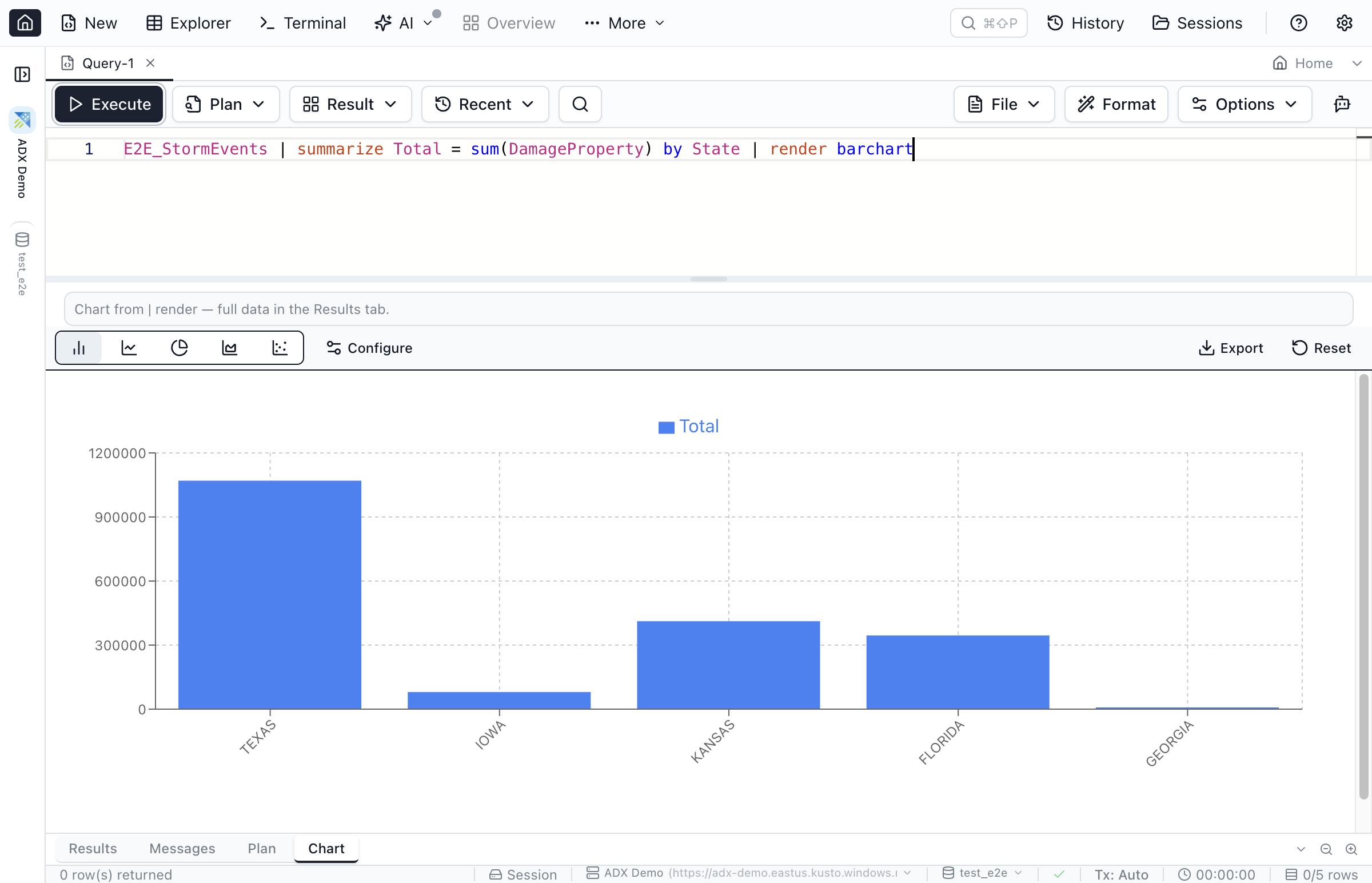
| render barchart query — the Chart tab opens automatically with the matching chart.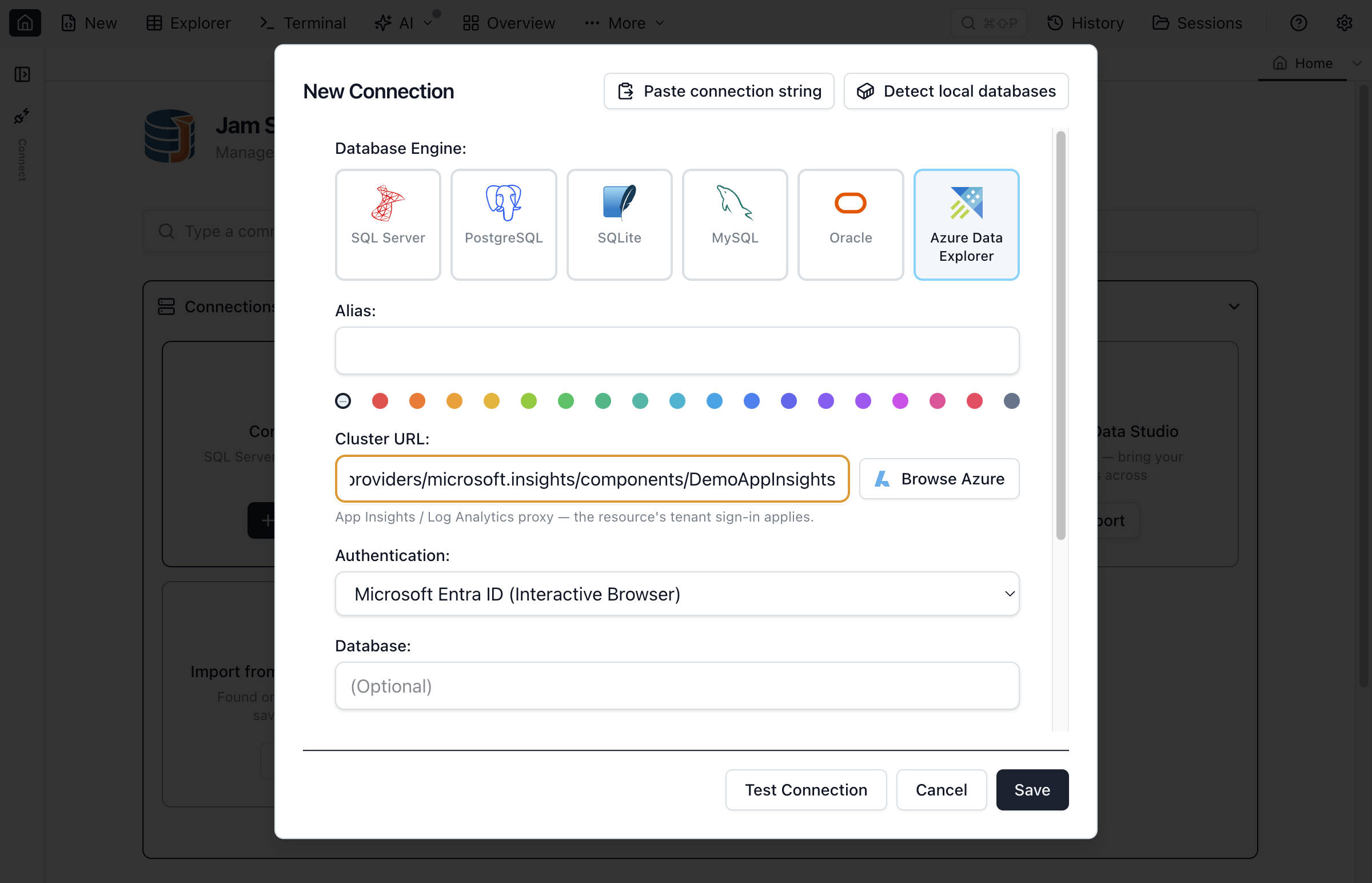
ade.* proxies alike, with Entra ID sign-in.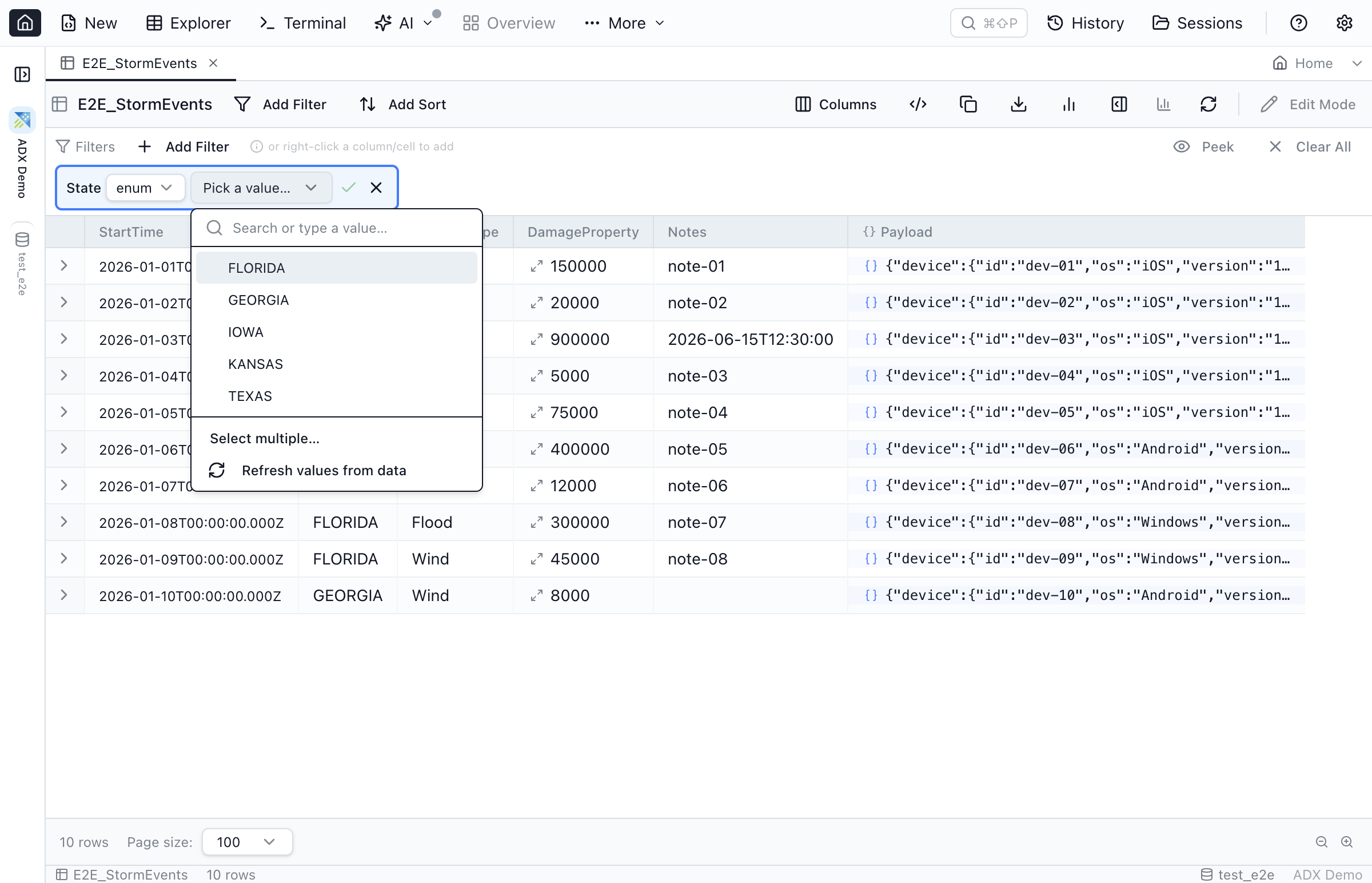
How to Connect to Azure Data Explorer
From download to your first KQL query in a few minutes.
Download for Your Platform
Get the app for Mac, Windows, or Linux from our download page.
Add Your Cluster or Proxy
Click New Connection, select Azure Data Explorer, paste your cluster or App Insights / Log Analytics proxy URL — or click Browse Azure to pick the resource — and sign in with Microsoft Entra ID.
Write and Run KQL
Open New Query, write KQL with IntelliSense, and press Cmd+E (Mac) or Ctrl+E to run. End a query in | render for an automatic chart.
Frequently Asked Questions
Common questions about using Jam SQL Studio with Azure Data Explorer.
Is there an Azure Data Explorer GUI for Mac and Linux?
Yes. Jam SQL Studio is a standalone desktop app for macOS, Windows, and Linux that connects to Azure Data Explorer clusters and App Insights / Log Analytics proxies, with KQL IntelliSense, | render charts, and KQL notebooks. Microsoft's Kusto.Explorer is Windows-only.
Can I query Application Insights and Log Analytics with it?
Yes. Paste the resource's ADX proxy URL (ade.applicationinsights.io / ade.loganalytics.io) into the connection form, or click Browse Azure to pick the App Insights component or Log Analytics workspace straight from your signed-in Azure account.
Can Jam SQL Studio write to Azure Data Explorer?
No. Azure Data Explorer is append-only, so Jam SQL Studio opens Kusto tables read-only and disables row editing. Queries and .show commands run; other management commands (.create, .drop, .ingest) are not supported.
Does it support KQL notebooks?
Yes. SQL Notebooks accept KQL code cells on Azure Data Explorer connections: blank-line-separated multi-statement batches, .show commands, and an inline chart when a cell's query ends in | render.
Can I import my Kusto connections from Azure Data Studio?
Yes. The Azure Data Studio import brings saved Kusto profiles over as real Azure Data Explorer connections alongside your SQL Server and PostgreSQL ones, defaulting to Microsoft Entra ID (Interactive Browser) sign-in.
Is Jam SQL Studio free for Azure Data Explorer?
Yes. The free Personal tier includes unlimited Azure Data Explorer connections, KQL IntelliSense, query execution, read-only Table Explorer, and basic charting, with no account required.
Ready to Query Azure Data Explorer from Any Platform?
Download free and connect to your clusters, App Insights, and Log Analytics on Mac, Windows, or Linux.
Explore Other Databases
Jam SQL Studio supports six engines in one app.
Digging Deeper into Kusto?
Guides and comparisons for Azure Data Explorer users.