 Jam SQL Studio
 Published: 2026-07-09 • Updated: 2026-07-15
Query Azure Data Explorer, App Insights & Azure Monitor From the Desktop
If you live in Application Insights or Log Analytics from a Mac or a Linux box, your standalone desktop options have run out. Kusto.Explorer is Windows-only. The Azure Data Explorer web UI is a browser tab, tied to one signed-in session. And Azure Data Studio — whose Kusto extension was the one cross-platform desktop answer — retired on February 28, 2026. Jam SQL Studio 1.4.15 fills that gap: a first-class Azure Data Explorer (Kusto) engine, sitting in the same window you already use for SQL Server, PostgreSQL, MySQL, Oracle, and SQLite.
The gap: a KQL desktop client that isn't Windows-only or browser-bound
Azure Data Explorer is Microsoft's engine for fast, interactive analytics over huge volumes of log, event, and telemetry data, and you query it with KQL — the pipe-based Kusto Query Language, distinct from SQL. Plenty of teams reach ADX indirectly: Application Insights and Azure Monitor / Log Analytics are both backed by the same engine, so the traces, requests, and custom logs your app emits are one KQL query away.
The tooling around that query, though, has always forced a compromise:
- Kusto.Explorer is mature and fast, but it only ships for Windows. On a Mac you're running a VM or you're not running it at all.
- The ADX web UI at
dataexplorer.azure.comsolves the platform problem by living in the browser — but it's a browser tab, one identity at a time, with no desktop ergonomics and no way to sit beside your relational databases. - Azure Data Studio with its Kusto extension was the one cross-platform desktop app that treated KQL as a real engine. It retired on February 28, 2026, and the extension went with it.
- Microsoft's Kusto Explorer extension for VS Code (v1.0, released July 2026) brings cross-platform KQL editing with IntelliSense, charts, and Copilot into the code editor — a real option if VS Code is your home. It's an editor extension rather than a standalone app, though, and as of mid-July 2026 its docs don't cover the App Insights / Log Analytics query proxies or importing your Azure Data Studio connections.
So Mac and Linux engineers who needed to slice a telemetry table were left copying KQL into a browser tab. That's the gap this release closes.
What shipped: a first-class Azure Data Explorer engine
Add a connection, pick Azure Data Explorer as the engine, and paste your cluster URL — for example https://mycluster.westeurope.kusto.windows.net. That single field holds the whole URL; a bare hostname is auto-prefixed with https://. From there Kusto behaves like any other engine in the app, with a few things built specifically for KQL work:
- KQL with real IntelliSense. The editor runs Microsoft's own Kusto language service, fed with your cluster's schema, so completions, hover, and signature help know your tables, columns, functions, and operators — not just generic keywords.
- Statements separated by a blank line, exactly like the ADX web UI. Run several KQL statements from one tab; each returns its own result set.
.showcommands (.show tables,.show version) run alongside queries, and you can cancel a long-running query from the toolbar — cancellation is sent server-side. - Microsoft Entra ID sign-in, three ways. Kusto is HTTPS-only with no SQL login: interactive browser (the default, MFA supported), service principal (client ID + secret + tenant ID) for automation, or Azure CLI, which reuses a prior
az logintoken.
Can I query Application Insights and Azure Monitor from a Mac?
Yes — and this is the part most people are actually here for. Application Insights and Azure Monitor / Log Analytics each expose an ADX query proxy, so their endpoints connect exactly like a cluster:
- Application Insights —
https://ade.applicationinsights.io/subscriptions/… - Log Analytics (the store behind Azure Monitor Logs) —
https://ade.loganalytics.io/subscriptions/…
A proxy exposes exactly one database, named after the resource, and the connection form recognises the proxy URL when you paste it. If you'd rather not hunt for the URL at all, click Browse Azure on the connection form and pick the App Insights component or Log Analytics workspace straight from your signed-in Azure account. Tables like requests, dependencies, AzureActivity, or Heartbeat show up in the object explorer, and you write the same KQL you'd write in the Portal's Logs blade. (One honest difference: a proxy has no materialized views or external tables, so those two folders simply don't appear in the tree.)
The real differentiator: read-only exploring, made fast
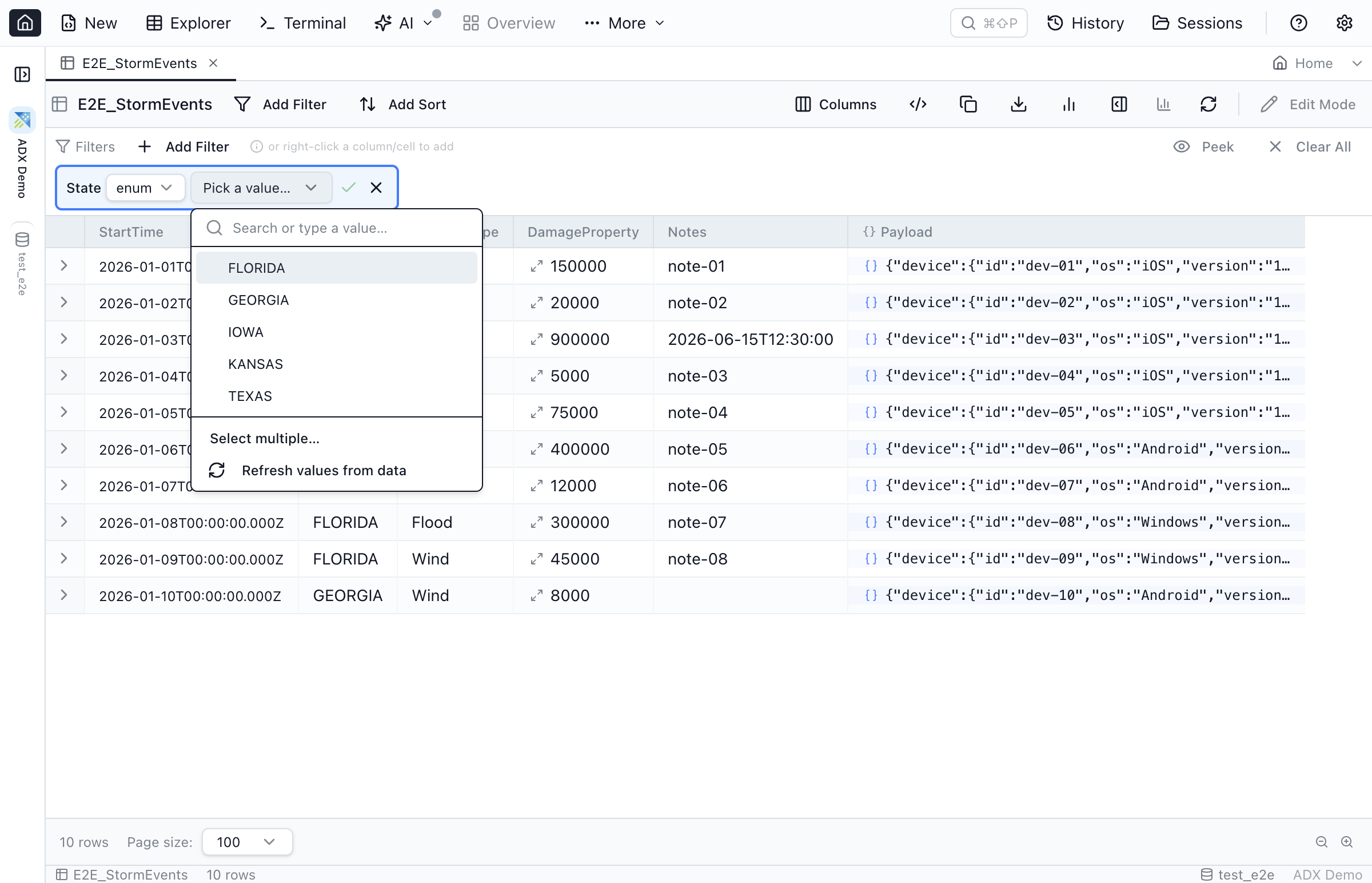
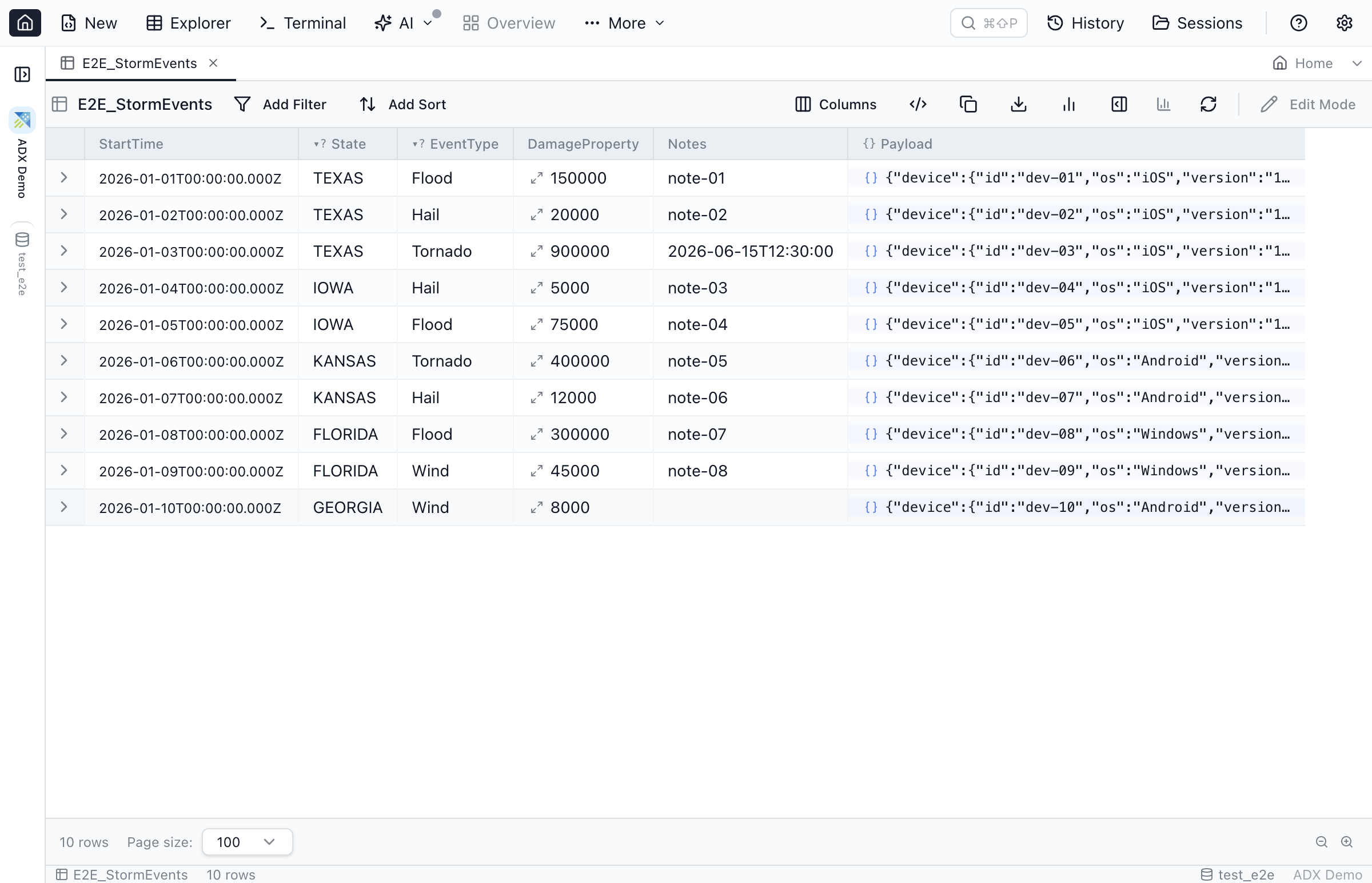
A telemetry table can have hundreds of millions of rows and a fistful of columns you always filter on the same way. Read-only shouldn't mean slow to explore — so the metadata-driven filter chips that speed up SQL browsing in Jam SQL Studio work on Kusto tables too. They exist for exactly the "slice a huge log table in seconds without hand-writing KQL" workflow.
Enum chips for the columns you filter every day
Low-cardinality columns — severityLevel, cloud_RoleName, a result code, a region — get a value-picker chip. Jam SQL Studio samples the distinct values once and, when you pick from the dropdown, emits the KQL for you: | where severityLevel in (2, 3). No more typing a value, guessing at its exact spelling, and re-running to find out you got the casing wrong.
Dynamic columns treated as structured JSON
The interesting fields in App Insights live inside dynamic columns like customDimensions and customMeasurements. Jam SQL Studio treats a dynamic column as structured JSON: peek the shape, inspect the nesting, and filter by path. Pick a path and set a value, and the chip emits the matching dynamic accessor — | where customDimensions.tenant == "acme" — instead of making you remember the exact property name and quoting.
Loose foreign keys, so a correlation id is one click
Azure Data Explorer has no foreign-key constraints, but the relationships are still there in your data. Declare a loose foreign key — say operation_Id linking requests to dependencies — and jumping from a request to every dependency in the same operation is a single click in Table Explorer. No hand-written join, no copy-pasting a GUID into a new query tab.
All three definitions live in the per-database MetaInfo layer, which is exportable — so the enum lists, JSON-path shapes, and correlation links you work out once can be shared with your whole team as a JSON file. And all three are strictly read helpers: nothing is ever written back to the cluster.
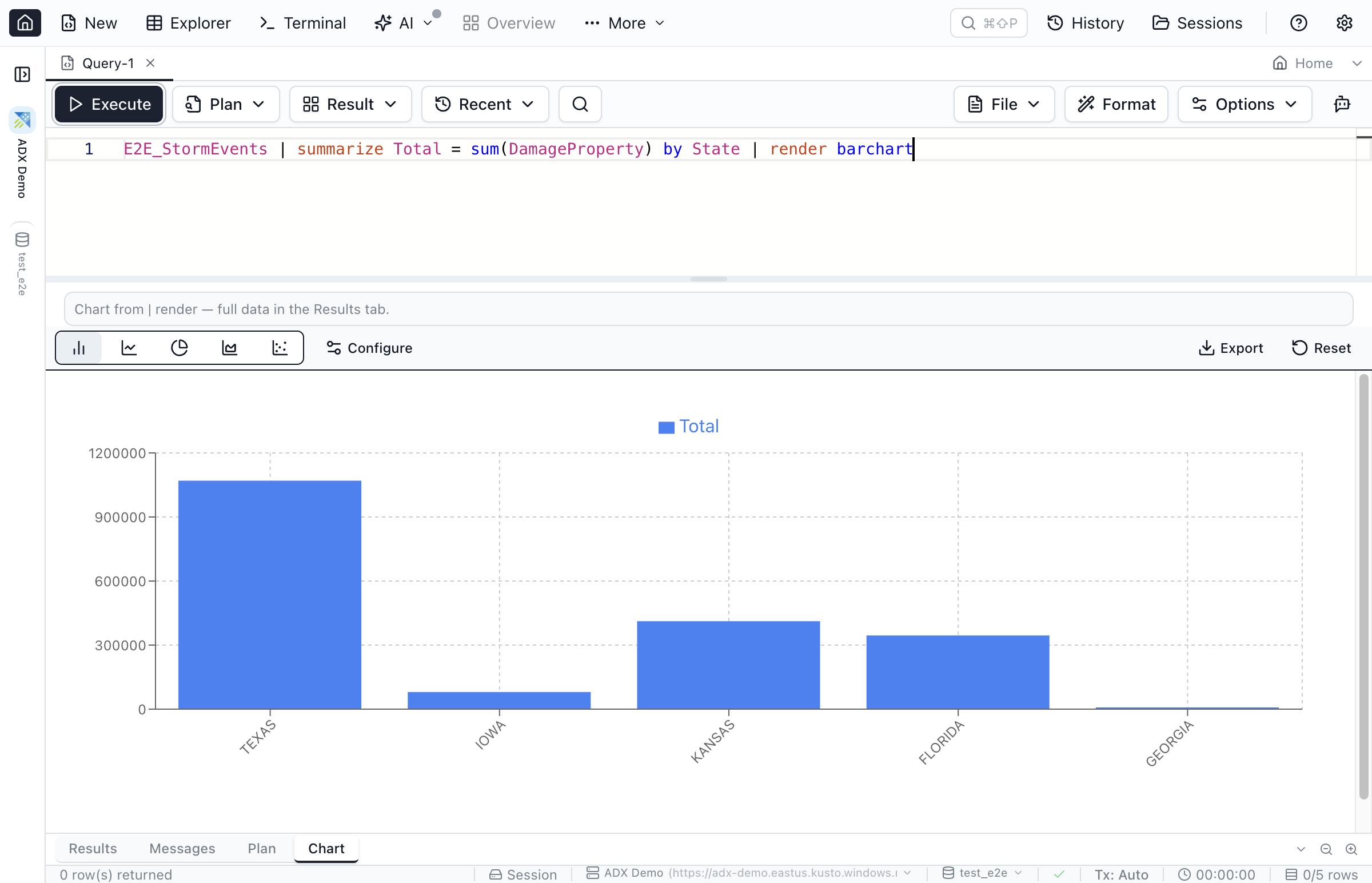
Charts from | render, automatically
KQL's | render directive asks for a visualization, and Jam SQL Studio honours it. When a result carries a render hint, the app builds the matching chart and opens the Chart tab for you — timechart and linechart become line charts, barchart and columnchart become bars, plus area, pie, and scatter. A requests-over-time query turns into a line chart without you touching the chart config. Render types with no chart equivalent (like | render card) just leave the data on the grid, and you can always switch to the Chart tab and adjust axes by hand.
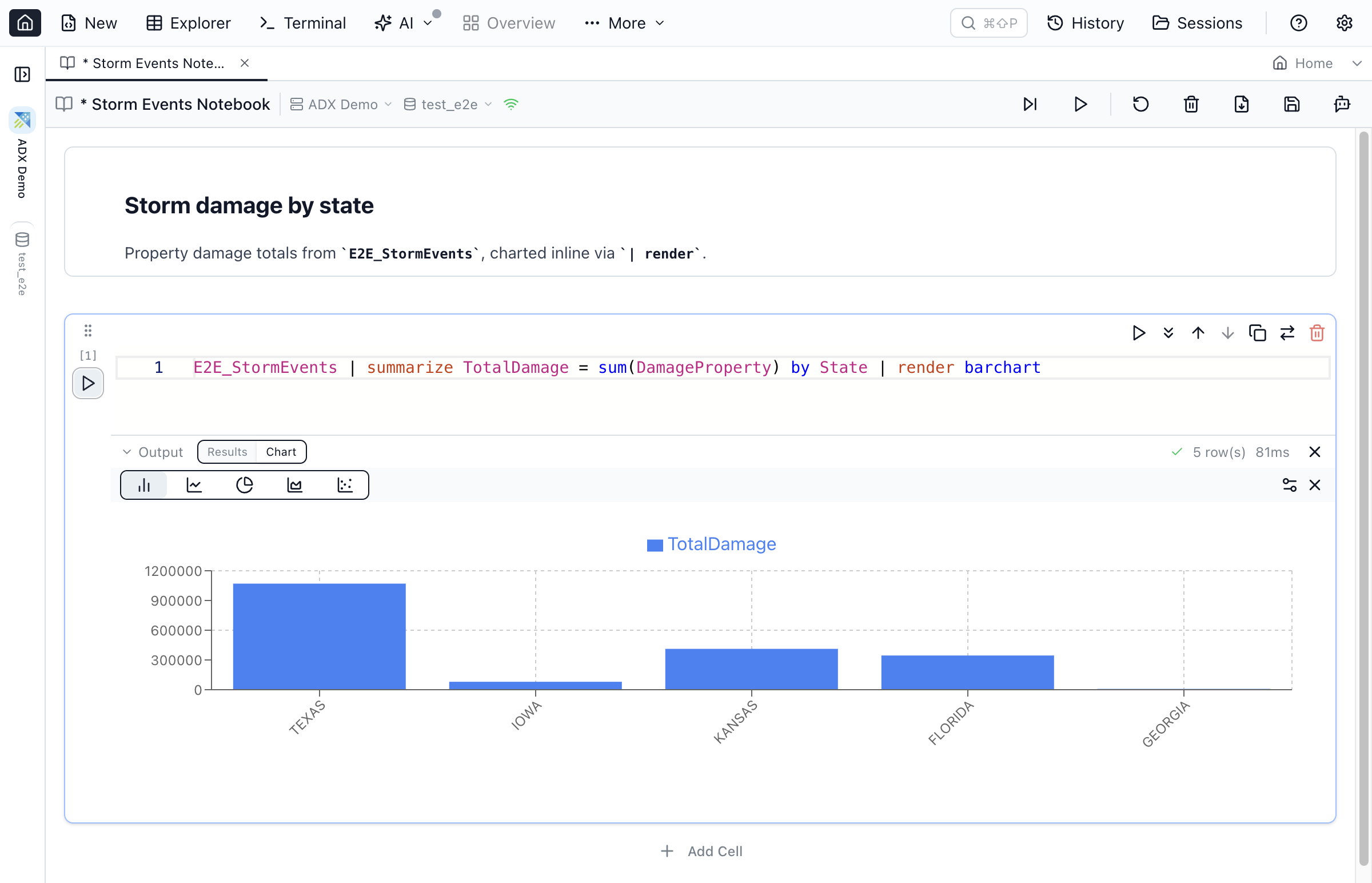
KQL in notebooks, too
The same engine works in SQL Notebooks. A notebook on an Azure Data Explorer connection runs KQL code cells with the same blank-line-separated multi-statement batches as the editor, allows .show commands alongside queries (other management commands stay blocked), and honours | render per cell — the chart opens inline below the cell. Because ADX is stateless, each cell runs independently rather than sharing a pinned session, which is exactly what an append-only analytics engine wants. Mix Markdown narrative with KQL cells and you have a shareable telemetry investigation — the post-mortem notebook that used to live in Azure Data Studio.
Bringing your Kusto connections over — and letting agents query them
If you're coming from Azure Data Studio, you don't have to retype anything. When you import connections from Azure Data Studio, saved Kusto profiles come across as real Azure Data Explorer connections alongside your SQL Server and PostgreSQL ones, defaulting to interactive Entra sign-in, with duplicates you already added pre-unchecked.
Kusto is also a first-class citizen of the app's AI integrations. MCP-connected agents — Claude Code, Claude Desktop, GitHub Copilot — and the jam-sql CLI run KQL through the local MCP server. Queries and .show commands classify as read-only, so they work under the Read-only permission level, and an agent can even set up a cluster, Azure Monitor, or Application Insights connection for you, guiding you through the endpoint URL and Entra sign-in.
Is the Kusto engine read-only?
Yes, by design — and it's worth being explicit about the boundaries so there are no surprises:
- Read-only. Azure Data Explorer is append-only, so Kusto tables open read-only: no row editing, no Table Designer, and no Schema Compare, Data Compare, or Backup & Restore for Kusto connections.
- Queries and
.showonly. Other management commands —.create,.drop,.ingest, and the rest — are not supported. - No schemas or transactions. ADX has neither concept.
- No result streaming. Kusto returns a whole response, so a very large result loads in full rather than incrementally.
- Unstable natural order. Without an explicit sort, paging follows the engine's natural row order, which Kusto doesn't guarantee to be stable across pages — add a sort when you need deterministic paging.
None of that is a workaround; it's what an analytics engine should do. You come to ADX, App Insights, and Log Analytics to read telemetry, and the tooling leans into that.
The takeaway
For years, running KQL from a Mac or a Linux workstation meant a Windows VM or a browser tab. Kusto.Explorer never left Windows, the ADX web UI never left the browser, Azure Data Studio is gone, and Microsoft's new VS Code extension lives inside the code editor. Jam SQL Studio 1.4.15 gives Mac and Linux engineers (and Windows ones who'd rather not juggle two apps) a desktop home for Azure Data Explorer, Application Insights, and Azure Monitor: KQL with Microsoft's language service, Entra sign-in, fast filter chips over telemetry, and | render charts — next to every SQL database you already query.
FAQ
Can I query Application Insights and Azure Monitor from a Mac?
Yes. Application Insights and Azure Monitor / Log Analytics each expose an Azure Data Explorer query proxy (ade.applicationinsights.io and ade.loganalytics.io). Jam SQL Studio connects to those proxies as Kusto connections, so you run the same KQL you would in the Azure Portal's Logs blade — with schema-aware IntelliSense, a read-only table browser, and | render charts — from a desktop app on macOS, Windows, or Linux.
Is there a Kusto client for Mac and Linux now that Azure Data Studio is retired?
Yes. Kusto.Explorer is Windows-only and Azure Data Studio's Kusto extension retired with the app on February 28, 2026; Microsoft's Kusto Explorer extension for VS Code (July 2026) covers KQL editing inside the code editor. For a standalone desktop app, Jam SQL Studio adds a first-class Azure Data Explorer engine on macOS (Apple Silicon and Intel), Windows, and Linux, connecting to ADX clusters and App Insights / Log Analytics proxies with Microsoft Entra ID sign-in.
How do I authenticate to Azure Data Explorer in Jam SQL Studio?
Kusto connections use Microsoft Entra ID (Azure AD) — there is no SQL login or Windows auth, and the connection is always HTTPS. Three sign-in methods are offered: interactive browser (the default, with MFA support), service principal (client ID + secret + tenant ID) for automation, and Azure CLI, which reuses the token from a prior az login.
Is the Kusto engine in Jam SQL Studio read-only?
Yes. Azure Data Explorer is append-only, so Jam SQL Studio opens Kusto tables read-only and disables row editing. Queries and .show commands run; other management commands (.create, .drop, .ingest) are not supported, and there is no Table Designer, Schema Compare, or Backup & Restore for Kusto connections.
Run KQL on Mac, Windows, and Linux
Connect to Azure Data Explorer, Application Insights, and Azure Monitor — with IntelliSense, filter chips, and | render charts. Free for personal use.