 Jam SQL Studio
 Published: 2026-08-29
Show Names Instead of Foreign-Key IDs
Every real database is full of them: status_id = 3, severity_code = 'high', customer_id = 8823. The meaning lives one join away, in a table nobody wants to join just to read the data. Jam SQL Studio 1.4.25 closes that gap three ways — per column, per table, or on demand for tables too big to cache — and the grid reads 3 · Pending instead of 3, without changing a single value in your database.
Start from a hint, or a right-click
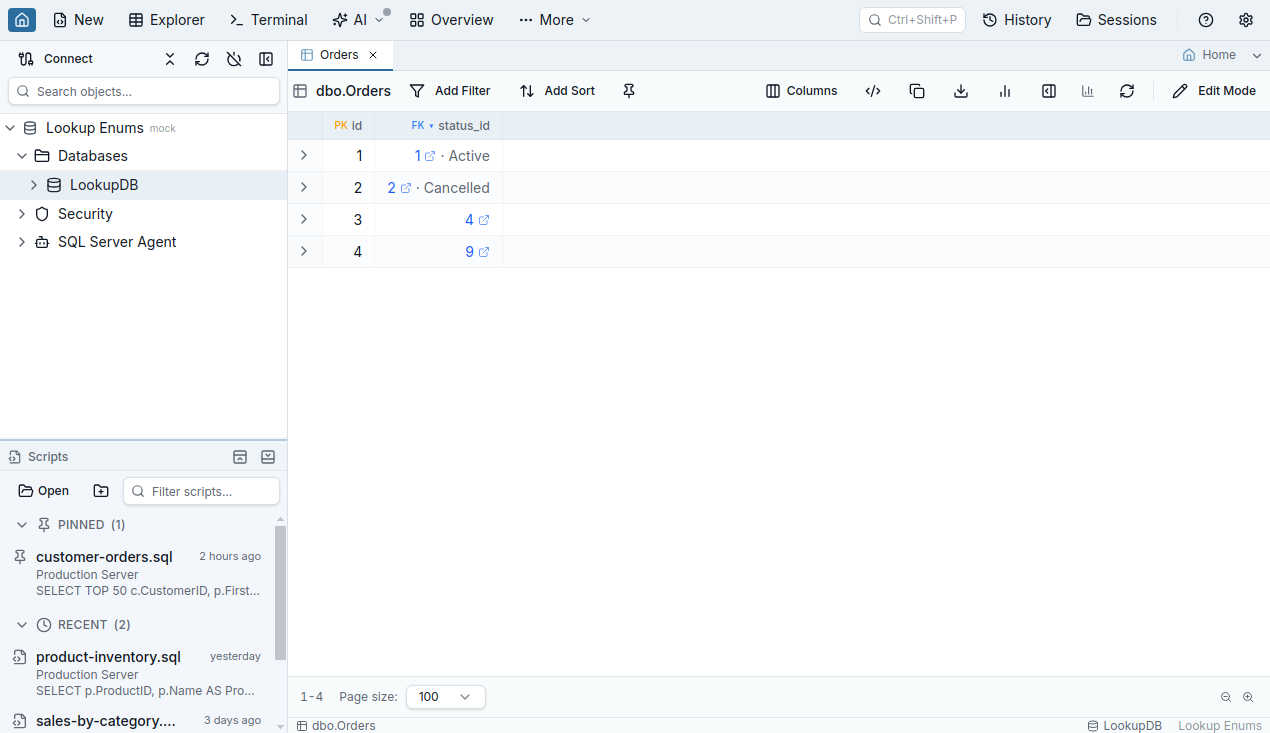
Jam SQL Studio already hints ▾? on likely enum columns — short text or integer columns with categorical names like status or role. New in this release, the hint also fires on a second signal: a column that references another table and has a categorical name. A varchar(255) severity_code is far too wide for the type heuristic, but its foreign key to Severities is signal enough.
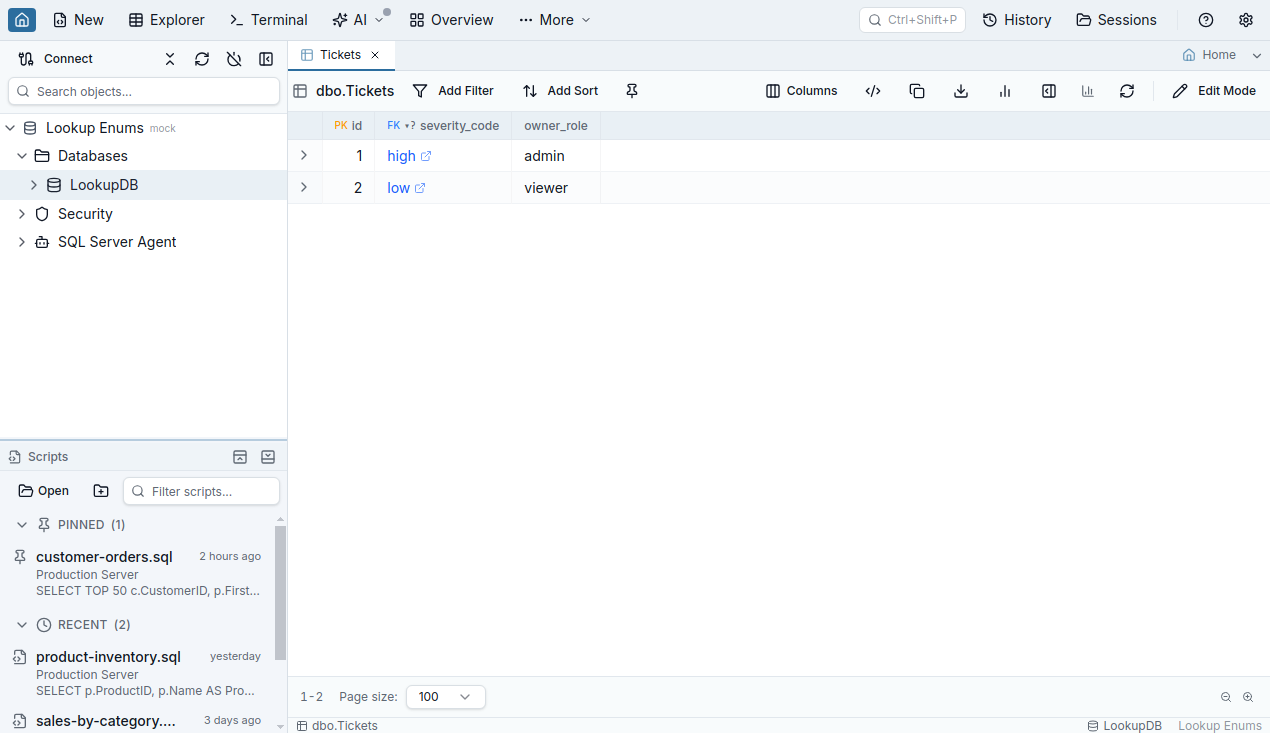
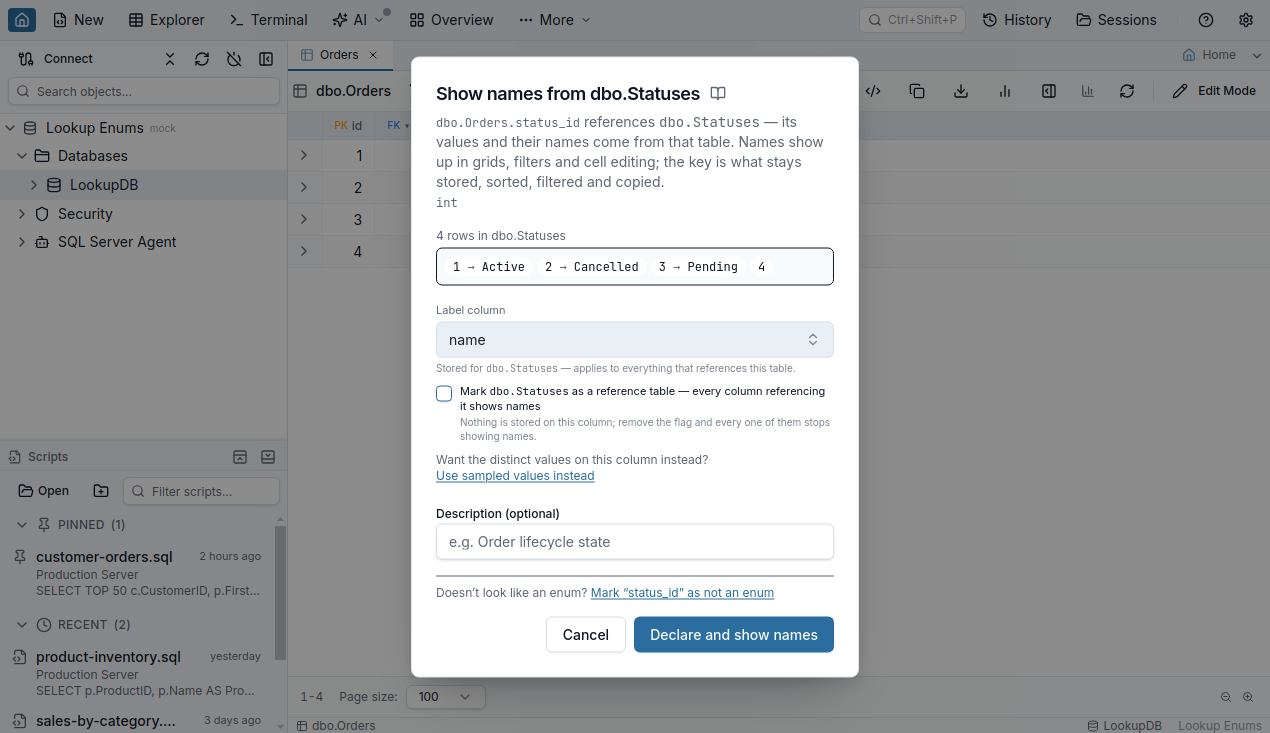
Click the hint (or right-click any FK column header and pick Declare as enum) and the dialog opens already knowing where the names live. It previews the actual key → name pairs from the referenced table and pre-picks the label column — the same shared “label column” loose foreign keys use, so you choose it once per table, ever.
Names in grids, filters, and cell editing — values untouched
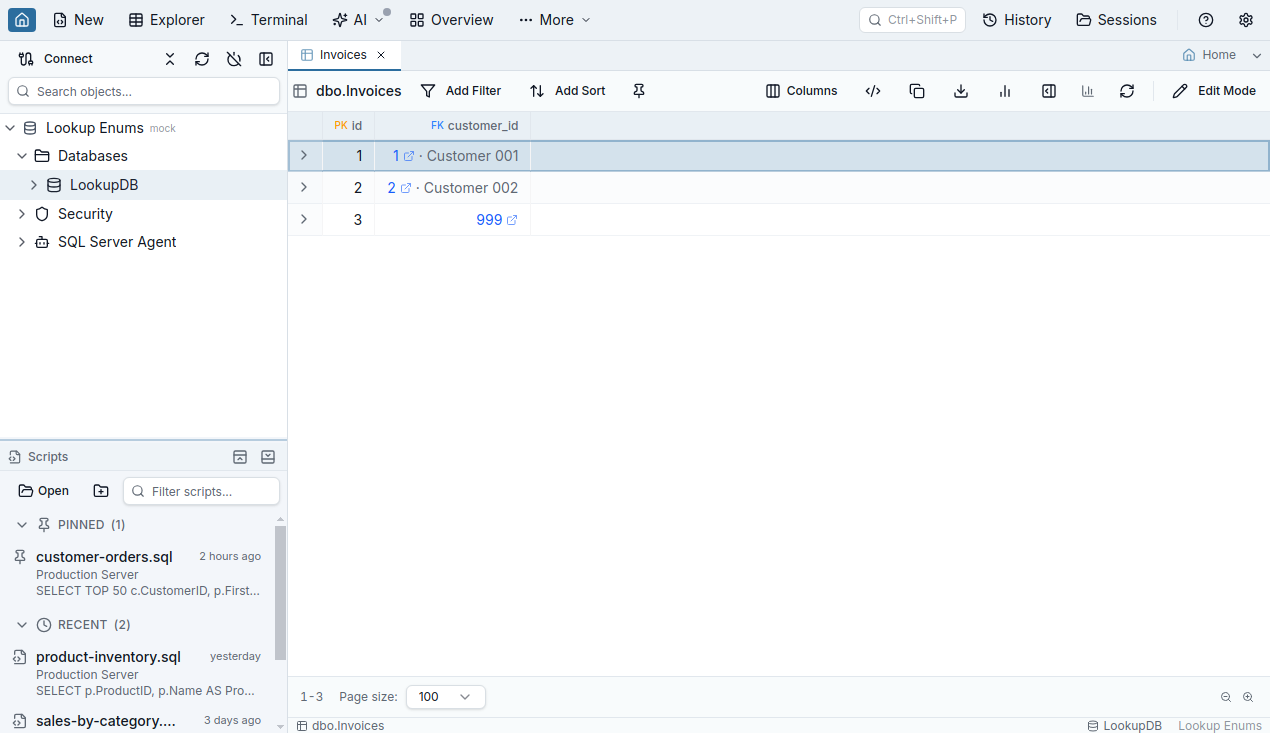
Confirm once and every surface that shows the column understands it. Grid cells read 3 · Pending — the stored key first, the name as quiet decoration. Filtering stops requiring memory: the picker shows names, searching canc finds Cancelled, and the committed filter still compares keys — the chip says so.
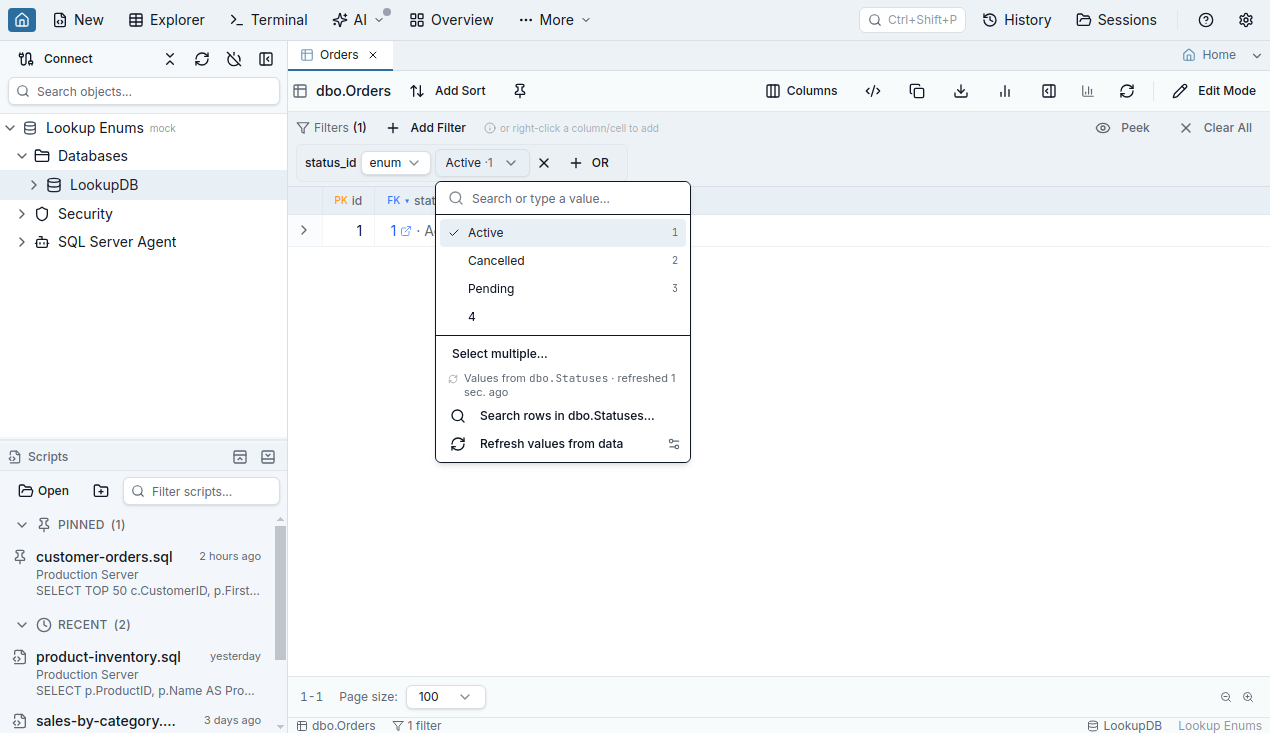
Editing too: double-click the cell and pick by name — the key is what gets written. A Search rows in… footer keeps the full FK row picker one click away for anything beyond the cached set.
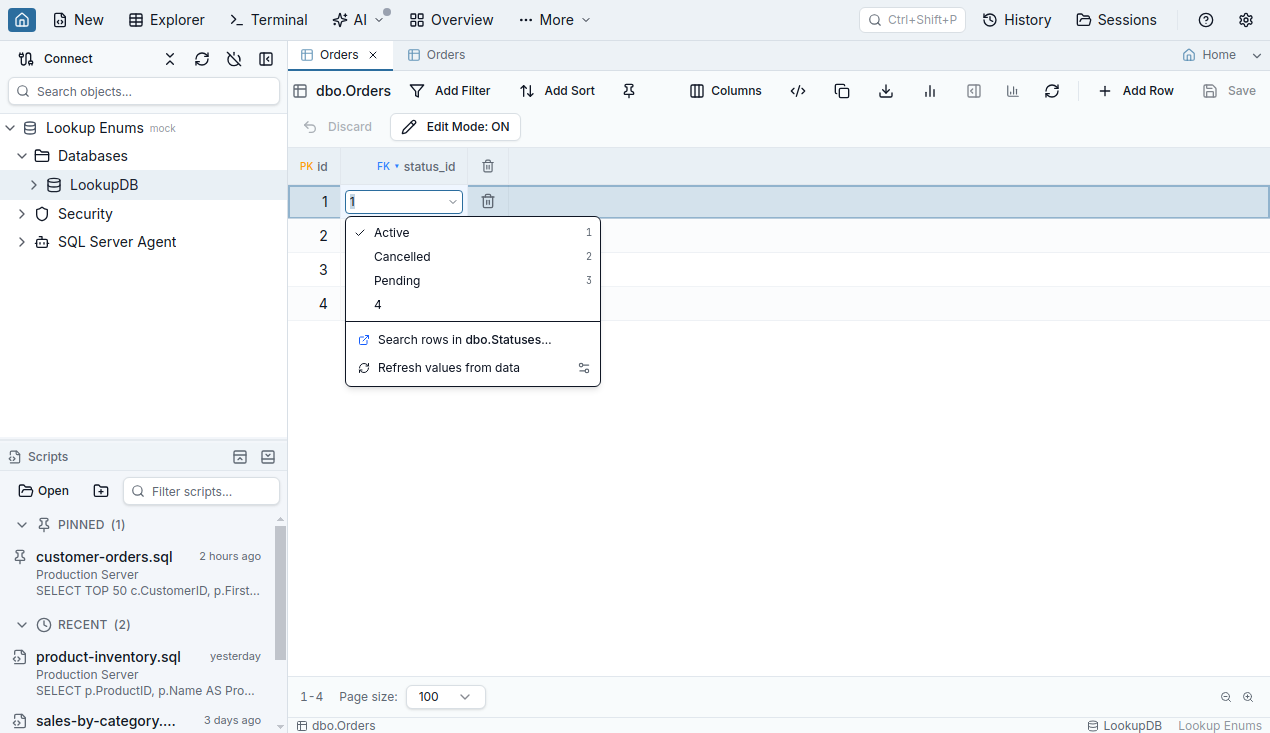
The cached pairs look after themselves with three automatic refresh paths: a key the grid can't name triggers a background refetch; a picker opened on a stale cache revalidates behind the scenes; and editing the referenced table inside Jam SQL Studio refreshes every column that points at it. The cache is bounded the same way enum columns always were — 200 distinct values, 5-second extraction ceiling — and everything is inspectable in the details dialog and the MetaInfo manager.
Mark the table once: reference tables
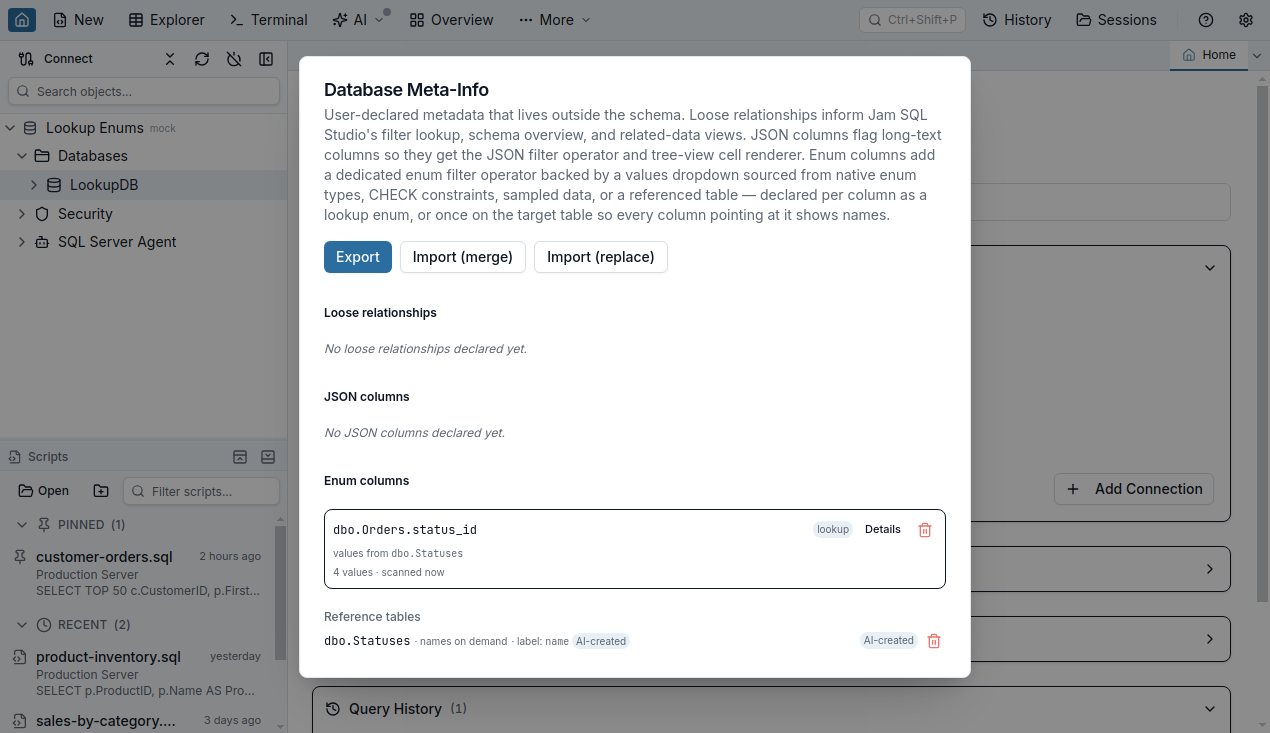
Declaring orders.status_id, then tickets.status_id, then whatever references statuses next quarter gets old. So declare it at the target instead: one checkbox in the same dialog marks the table as a reference table, and every column in the database with a foreign key to it — real or loose — shows names, including tables you never opened and columns you never declared.
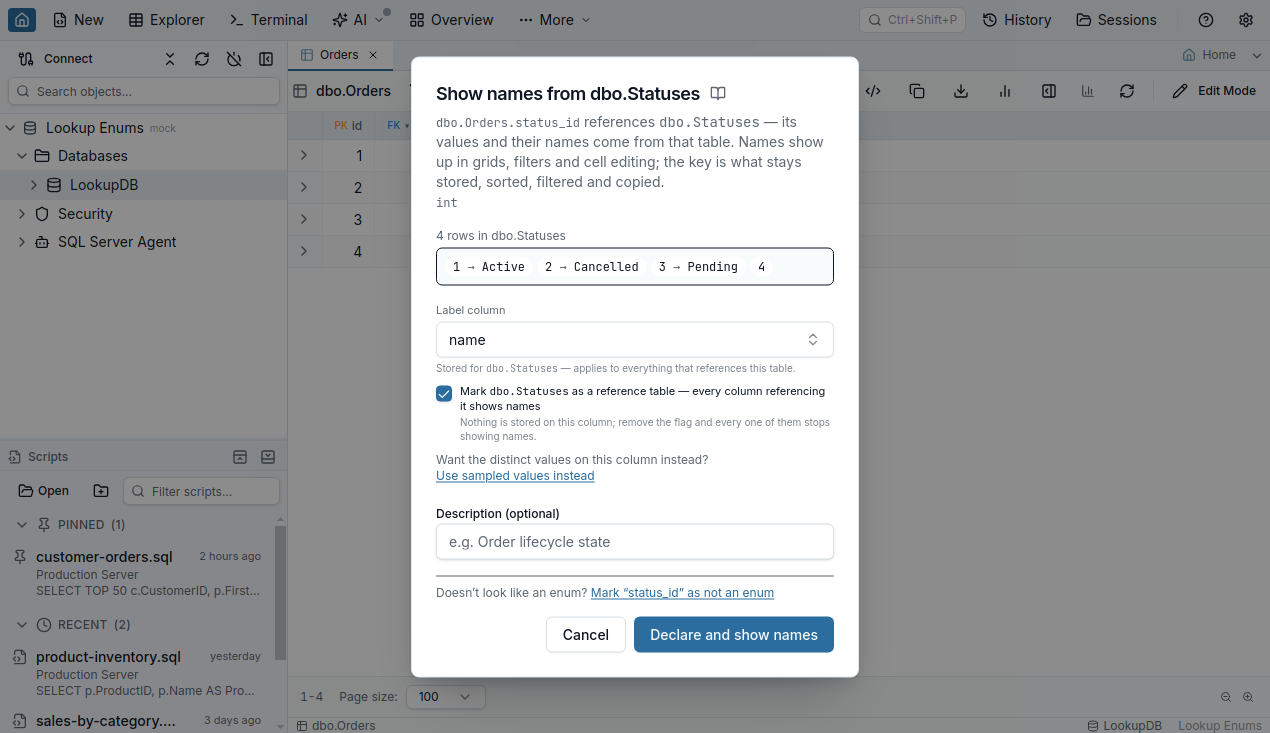
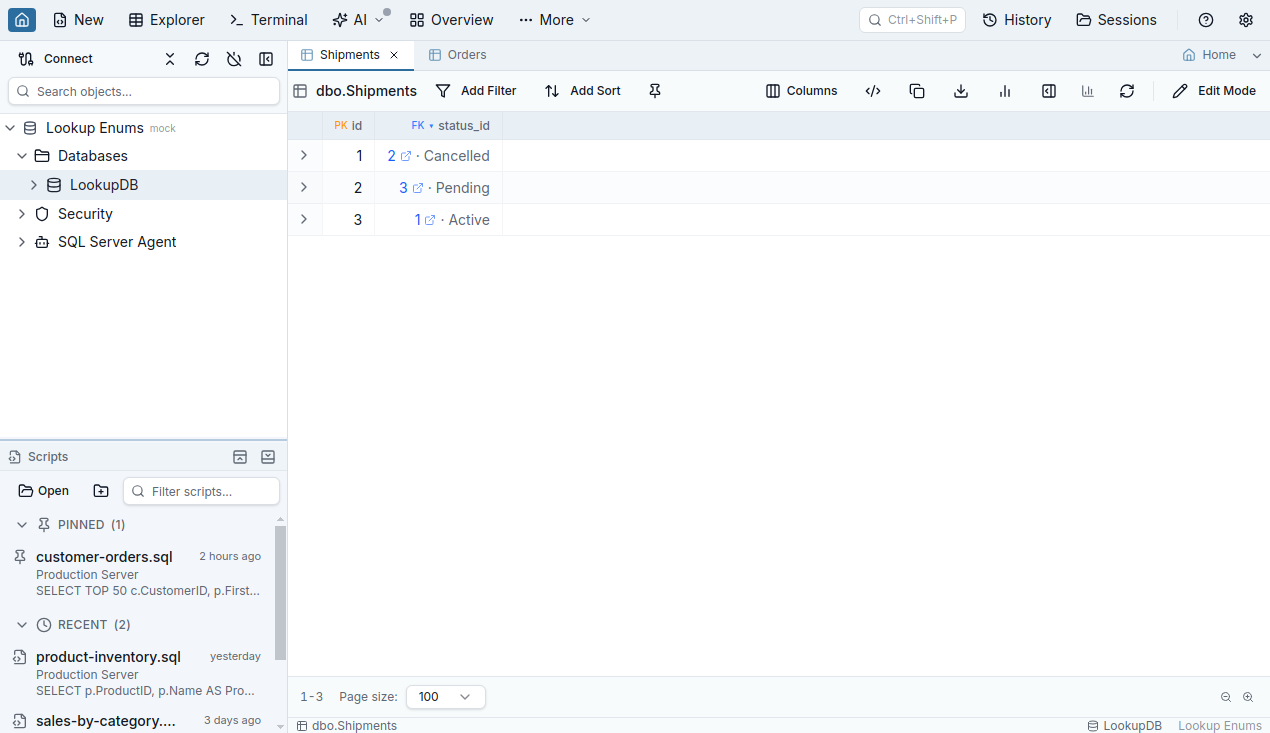
An explicit per-column declaration always wins over the table-level flag, and the details dialog on an implicit column offers both directions of control: pin the behavior to this column permanently, or stop using the table as a reference table — which affects every referencing column and says so before it does it.
Tables too big to cache: names on demand
A customers table with a million rows is not an enum, and Jam SQL Studio refuses to pretend otherwise — the declare dialog blocks caching past 200 rows. But showing the customer's name next to customer_id still makes sense. For big tables there is a second mode, and it starts exactly where you'd expect: you've just clicked an FK cell, and the popover is showing you the related row.
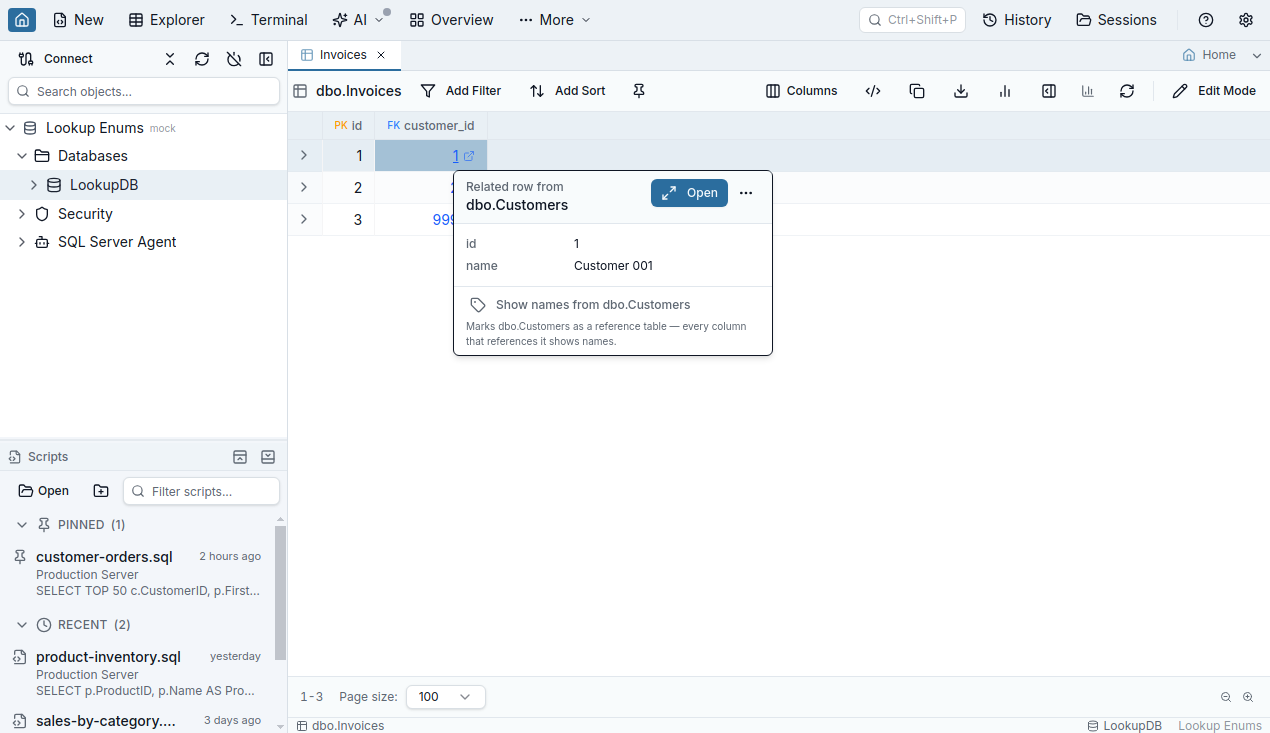
One click flags the table, and from then on the grid resolves just the keys visible in the window with one small batched query — names fill in as you scroll. Nothing is cached and nothing is stored: on-demand labels never enter the MetaInfo file, which matters because MetaInfo is exportable and shareable with your team. The column gets names and only names — no value dropdown (there is nothing enumerable to drop down); filtering and editing keep the FK row picker they already had. The same popover is the off-ramp: Stop showing names turns it off everywhere.
No constraints? Loose foreign keys count
All of this works on loose foreign keys — the user-declared logical references for schemas that never got real constraints. The loose-FK editor gains an Also treat as enum — show names in grids, filters, and cell editing checkbox, shown with a live row count when the target is small enough, so one save declares both the relationship and the names.
AI agents get the same metadata — and can add to it
Everything above is served to AI agents over MCP: schema_get_metainfo returns the declared values with their names, the reference-table flags, and the label pairs of implicit columns, and the agent guidance teaches the recipes — resolve keys to names when presenting rows, match the user's words against names but filter on the raw values, join the label column for tables that cache nothing.
Agents can also persist metadata they judge worth keeping — behind your approval. The new metainfo_declare tool proposes exactly one declaration per call; nothing runs against your data before you approve, and the permission defaults to Deny in Settings → AI Integrations.
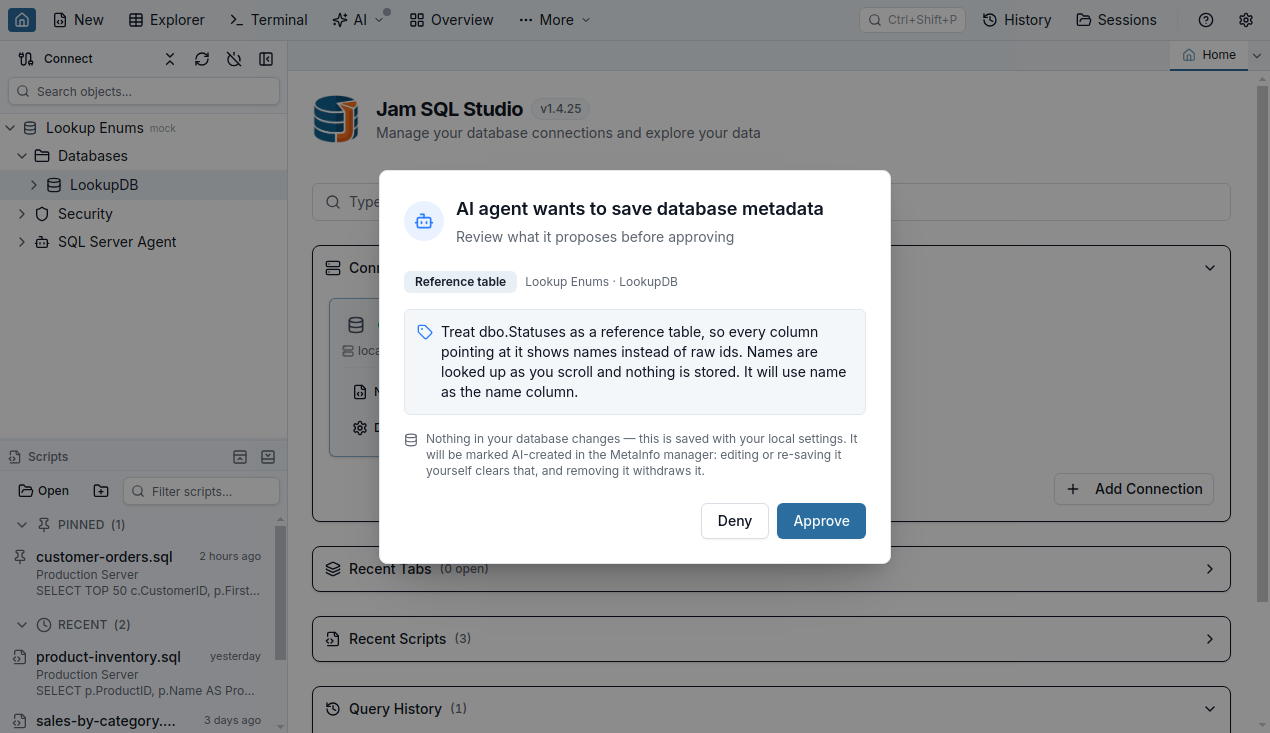
Provenance stays visible. Anything an agent saves carries an AI-created badge in the MetaInfo manager; entries an agent later modifies read AI-updated; editing or re-saving an entry yourself clears the badge, and removing it withdraws it. You always know where a declaration came from.
The invariants
- Stored values are never rewritten — names are presentation. SQL, copy, export, and sort always use the raw key.
- An explicit per-column declaration beats the table-level flag.
- On-demand names are never persisted anywhere.
- Agent writes require your approval and stay visibly badged until you touch them.
- Nothing requires a schema change or a constraint you don't have. All declarations live in the per-database MetaInfo file, exportable and team-shareable.
Full reference documentation: Enum Columns (lookup enums, reference tables, big tables), Loose Foreign Keys, Table Explorer (smart cell inputs), and AI Integrations & MCP (reading and declaring MetaInfo).
FAQ
How do I show names instead of IDs for a foreign-key column?
Three ways, smallest to largest scope: declare the column as a lookup enum (right-click its header, Declare as enum — the dialog opens as Show names from the referenced table); tick Mark as a reference table in that same dialog so every column referencing the table shows names; or, for big tables, click any FK cell and choose Show names from the table in the popover — names then resolve on demand as you scroll. All three read the name from the table's shared label column.
What if the referenced table has more than 200 rows?
The cached path caps at 200 rows because it stores the whole value set and feeds pickers and dropdowns. Past that, use the on-demand mode from the FK popover: Jam SQL Studio resolves only the keys visible in the grid window with one small batched query, caches nothing, and shows names as you scroll. It works at any table size.
Does any of this change my data or schema?
No. Everything lives in Jam SQL Studio's per-database MetaInfo file on your machine, next to loose foreign keys and JSON column declarations. The names are presentation only: SQL predicates, copy, export, and sorting always use the raw stored key, and the DDL is never touched.
Do the names work without real foreign-key constraints?
Yes. A loose foreign key — Jam SQL Studio's user-declared logical reference — counts the same as a real constraint everywhere names are resolved, and the loose-FK editor offers an Also treat as enum checkbox that declares both in one save. That covers warehouses and legacy schemas that never got constraints.
Can AI agents use or create this metadata?
Both. Over MCP, agents read the declared values with their names through schema_get_metainfo and are taught to filter by the label the user said while emitting SQL against the raw key. Agents can also propose declarations with the metainfo_declare tool: the permission defaults to Deny, each proposal shows an approval dialog, and anything an agent saves is badged AI-created in the MetaInfo manager until you edit or re-save it yourself.